
WP SmartPay
Version 3.3.1
Released on August 13, 2026
Improvements
Faster frontend page loads
License validation, database migration checks, and gateway settings registration no longer run on every frontend page load. These operations are deferred to admin, WP-CLI, and background contexts only — visitor pages skip the overhead entirely, reducing PHP execution time on high-traffic sites.
Fixes
License grace window bounded to 3 days
The frontend license fallback is now capped at 3 days. Previously a site that never loaded wp-admin could remain in a perpetual "valid" state indefinitely. After the grace window expires, the plugin withholds pro features until a successful license check runs. A successful check resets the window.
Malformed license responses no longer cause repeated API calls
If the licence store returned a malformed response, the decoded result (null) was cached and get_transient() returned a falsy value that triggered a fresh blocking HTTP call on every subsequent request. Malformed responses are now discarded; the plugin falls back to the last known-good status instead.
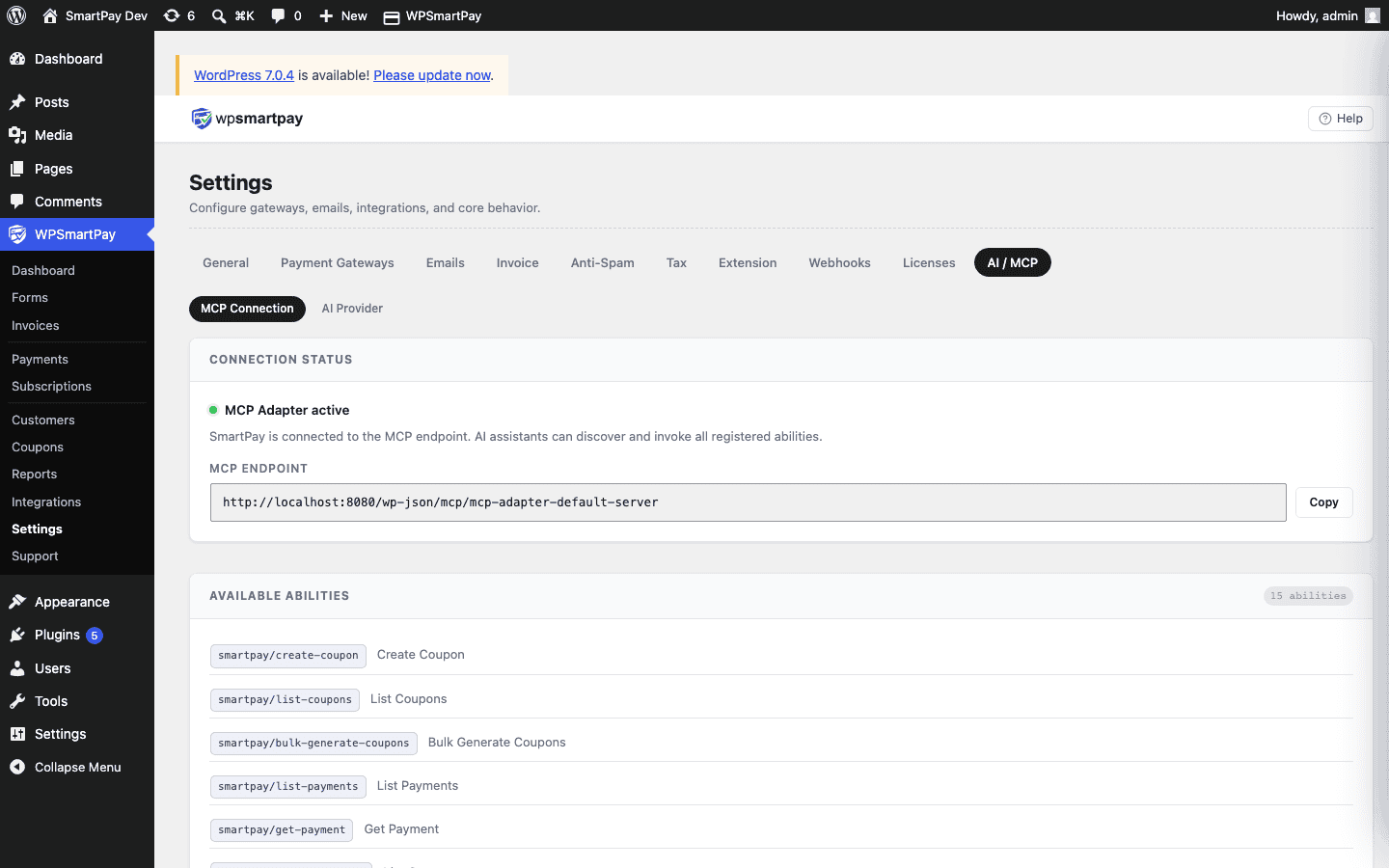
MCP tools now directly accessible to AI agents
All 15 SmartPay abilities (create invoice, create form, list payments, and more) now register as direct MCP tools. Previously an AI agent had to call the discover-abilities meta-tool first — a two-step proxy flow most clients do not support. Invoice and form creation via MCP now work without additional configuration.
MailChimp crash on empty API key fixed
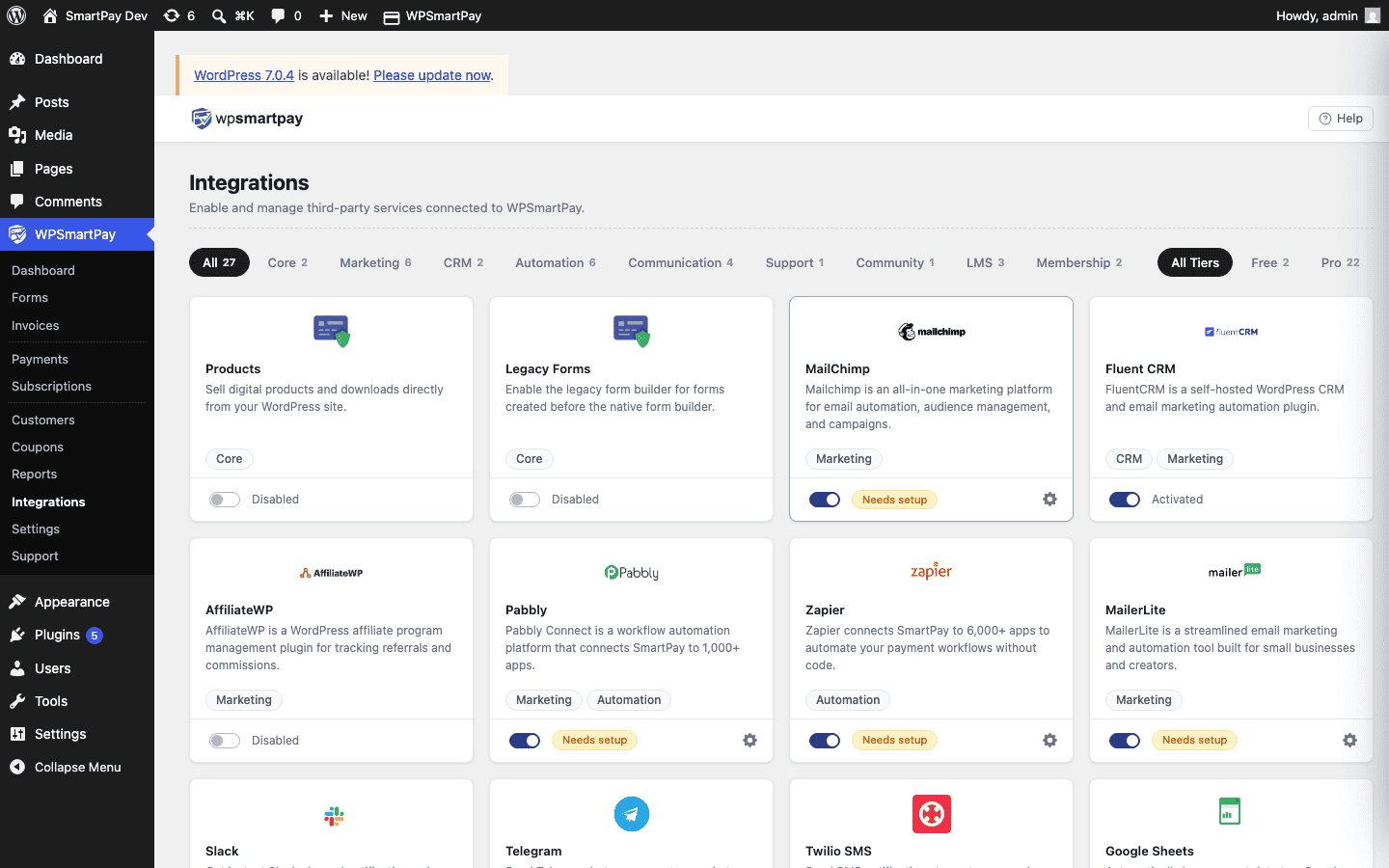
When the MailChimp integration was active but no API key had been entered, completing a payment threw a fatal error inside MailChimpClient and crashed the payment flow. The integration now checks for a missing key before instantiating the client and returns early.
Admin menu structure restored
Pro no longer restructures the SmartPay admin menu. Grouping and dividers now come from the free plugin, so the sidebar looks identical with or without Pro active (requires WPSmartPay 3.2.4+).
Version 3.3.0
Released on July 24, 2026
New
AI Provider settings
Configure Anthropic (Claude) or OpenAI (GPT) as the AI engine powering all SmartPay AI features — API key, model selection, and monthly call limit stored server-side. Toggle Copilot widget visibility from the same settings page.
AI Form Builder
Type a plain-language description inside the Gutenberg form editor and SmartPay AI generates a complete, correctly-nested block structure and inserts it in one click. No manual block configuration needed.
Admin Payment Copilot
Opt-in floating chat widget on SmartPay admin pages. Ask about recent payments, customers, and coupons, or create discount codes using natural language.
AI Payment Recovery Agent
When a payment fails, AI automatically drafts a personalized re-engagement email scheduled 2 hours later. Manage and resend recovery emails via the REST API at /smartpay-pro/v1/ai/recovery.
WPSmartPay Form Gutenberg block
Renamed from "SmartPay Form", the block now lists native forms from the form builder and renders the full embedded payment form — no more popup-only limitation.
Integrately integration
Connect SmartPay to 1,200+ apps via webhook automation with the same one-click setup as Zapier and Pabbly.
Wishlist Member integration
Automatically add customers to membership levels on payment completion, with per-form level override in the form editor.
Restrict Content Pro integration
Create RCP memberships on payment completion and expire them on subscription cancellation, with per-form level override.
Uncanny Automator integration
Expose SmartPay payment events as triggers inside Automator recipes, bridging 200+ WordPress plugins and 1,000+ external apps.
WPFunnels integration
Redirect customers to a WPFunnels funnel page or custom URL after payment, with a global default and per-form override.
LearnDash integration
Automatically enroll customers in LearnDash courses on payment completion and revoke access on cancellation, with per-form course override in the form editor sidebar.
Tutor LMS integration
Enroll customers in Tutor LMS courses on payment completion and cancel enrollment on cancellation, with per-form override.
LifterLMS integration
Enroll customers in LifterLMS courses on payment completion and expire enrollment on cancellation, with per-form override.
WP User Registration integration
Automatically create a WordPress user account on payment completion with configurable role assignment, welcome email, and per-form role override.
Fluent Support integration
Automatically open a Fluent Support helpdesk ticket on payment completed or failed, with configurable mailbox, subject template, and body template.
FluentCommunity integration
Enroll customers into FluentCommunity spaces on payment completion and optionally remove them on subscription cancellation, with per-form space override.
MCP settings page
One-click Install MCP Adapter button with fallback manual download and install guide for connecting SmartPay to AI agent clients.
Improvements
LMS settings available before plugin is installed
LMS settings sections now register even when the LMS plugin is not yet installed, so admins can pre-configure course selections before going live.
Webhooks and gateway settings consolidated
Webhooks moved under the Settings tab with a dedicated list page. Zapier and Pabbly webhook URLs auto-migrate to native endpoints on upgrade. Gateway Selection Layout setting moved to Settings → Gateways.
Fixes
Stripe no longer conflicts with Divi and Elementor
Stripe currency check no longer runs on every frontend page load, resolving conflicts with Divi and Elementor that blocked the checkout popup from opening.
DB migrations restricted to admin context
Migration scripts now run only in wp-admin, eliminating a fatal error on Elementor and Divi frontend pages.
Checkout modal renders above page builders
Checkout modal z-index raised to 99999 so it renders above Divi, Elementor, and other high-z-index page builders.
Zapier webhook payload expanded
Zapier webhook payload switched to JSON and expanded with all payment fields. Zapier's Catch Hook now detects fields automatically without manual field mapping.
FluentCRM integration rewritten
Customers are now actually subscribed to lists on payment completion. Adds a global list selector in Settings → Extensions → FluentCRM and a per-form override in the form editor sidebar.
MailerLite activation and subscription fixed
MailerLite integration activation check corrected; subscribers are now added on payment completion.
MCP Adapter active status detection corrected
MCP Adapter status now correctly detects whether the plugin file is installed and active. Previously showed as active on WordPress 6.8+ due to a built-in MCP class collision.
AI settings subsections render correctly
AI Provider and other subsections on the AI/MCP settings page now render correctly instead of showing "No settings available".
Version 3.2.0
Released on July 23, 2026
New
Slack integration
Rich Blocks-formatted payment notifications via Slack Incoming Webhooks with custom message templates and per-form channel override.
Telegram integration
Bot API payment notifications with HTML formatting, configurable events (completed, failed, cancelled), and a custom message template.
Twilio SMS integration
Customer and admin SMS notifications on payment events with configurable message templates for both the site owner and the paying customer.
Google Sheets integration
Automatic payment row logging via Google Apps Script webhook — no OAuth or API keys required. Each payment appends a new row with all relevant fields.
Version 3.1.0
Released on July 6, 2026
New
AI / MCP integration
Built-in Model Context Protocol server exposing 15 abilities — coupons, payments, customers, invoices, subscriptions, and forms — to Claude, Cursor, and any MCP-compatible AI agent.
Generic outgoing webhooks
Multi-endpoint delivery following the Standard Webhooks spec with HMAC-SHA256 signed requests, automatic retry, and a full delivery log. Includes a migration path from existing Zapier and Pabbly endpoints.
Bulk coupon generation
Generate large batches of unique coupon codes with custom prefix and suffix in one action, with CSV export of all generated codes.
Version 3.0.1
Released on July 2026
New
Authorize.Net gateway
Accept credit and debit card payments via Authorize.Net with both Accept Hosted (redirect) and Accept.js (embedded card form) checkout modes. Apple Pay and PayPal Express available as additional payment methods.
Improvements
Gateway configuration centralized
Gateway list moved to Settings → Gateways so all gateway configuration is in one place, separate from the Extensions page.
Branding and style update
Updated admin branding, icons, and card styles across the plugin for a more consistent visual identity.
Version 3.0.0
Released on June 2026
New
Redesigned admin UI
Completely rebuilt admin interface with a React SPA dashboard, improved navigation, and a consistent design system across all Pro pages.
Pro reporting
Dedicated reporting page with revenue, forms, subscriptions, goals, and payment recovery tabs — all visualized with charts and filterable date ranges.
Native Form builder
Gutenberg-based native payment form builder with drag-and-drop fields, pricing blocks, and a dedicated form editor sidebar for Pro settings.
Invoices
Generate and send PDF invoices for payments with customizable templates, logo, and business details.
Subscription and Payment management
Dedicated subscription and payment list pages with per-record detail views, status management, and customer history.
Manual Payment gateway
Accept offline or bank-transfer payments manually. Admins mark payments as completed from the dashboard; customers receive a pending confirmation email.