
WP SmartPay includes form blocks built for giving: let donors give anonymously, leave a message, dedicate their gift, and step through a shorter multi-page form. The Pricing block can also let donors choose how often to give a custom amount.
Adding Donation Blocks
Open a form in SmartPay → Forms, click + and search for the block name. The fastest way to start is the Charity Donation template, which already includes every block below.
Each donation block can be added once per form. Step Break can be added as many times as you need.
Custom Amount Billing (Pro)
Lets the donor choose how often a custom amount is charged. This is a setting in the existing Pricing block, not a separate block.
Select the Pricing block and turn on Allow custom amount, then set:
Billing for custom amount — One time only (default) or Let donor choose (Pro).
Options the donor can pick — Shown with Let donor choose. Tick One time and the periods the donor may pick: Daily, Weekly, Monthly, Yearly. One time, Monthly and Yearly are ticked by default. At least one option must stay ticked.
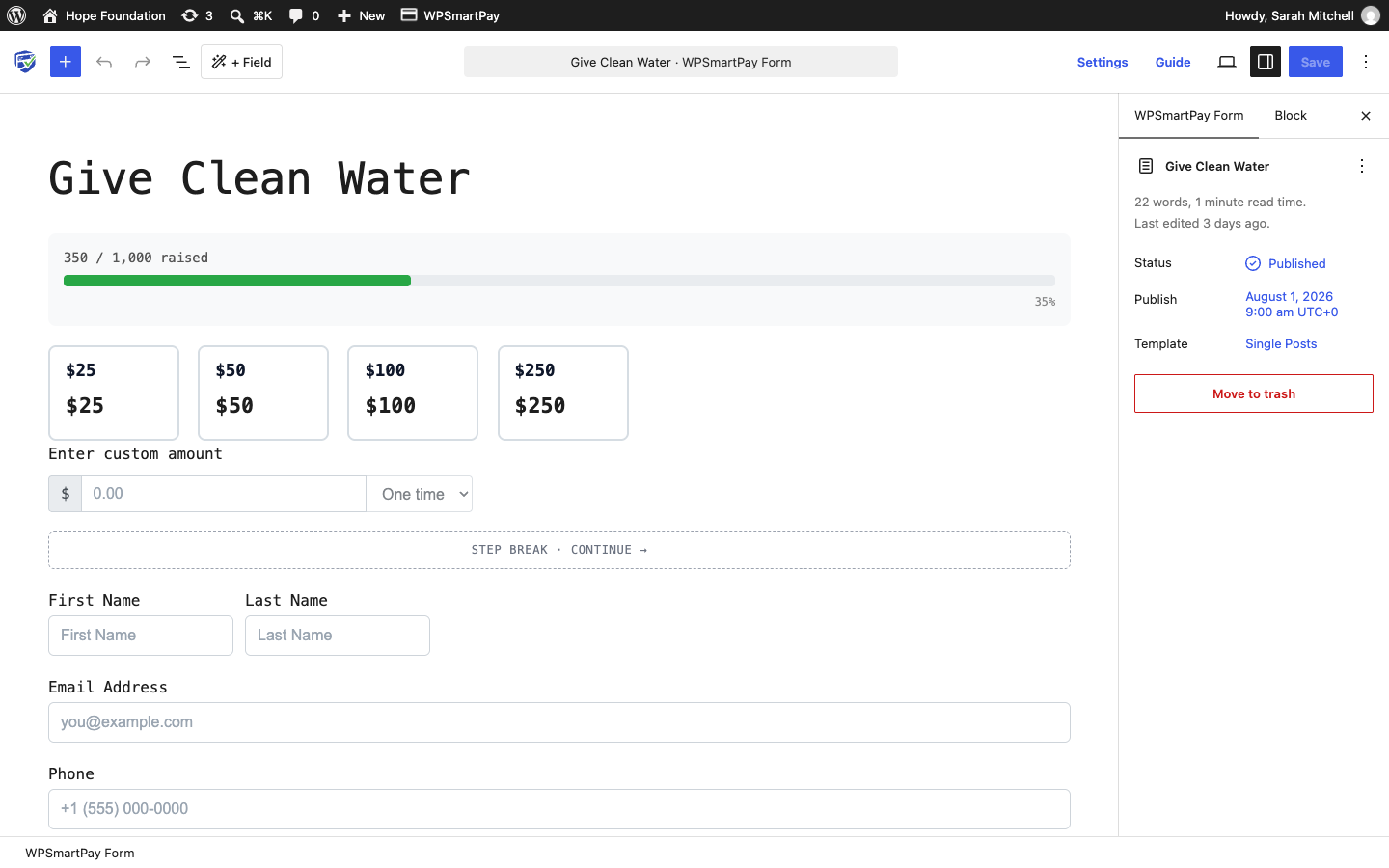
On the form, a dropdown appears beside the custom amount input with the options you ticked. If the donor picks a period, the custom gift is charged as a subscription with that billing period.
To offer fixed recurring amounts instead, add pricing options with Billing Type set to Subscription (Pro). See Form Pricing & Amount Options.
Pro feature: Recurring custom amounts need WP SmartPay Pro and a gateway that supports subscriptions. Without Pro, Let donor choose is locked in the editor with an upgrade notice, the dropdown is not shown on the form, and every custom amount is charged once.
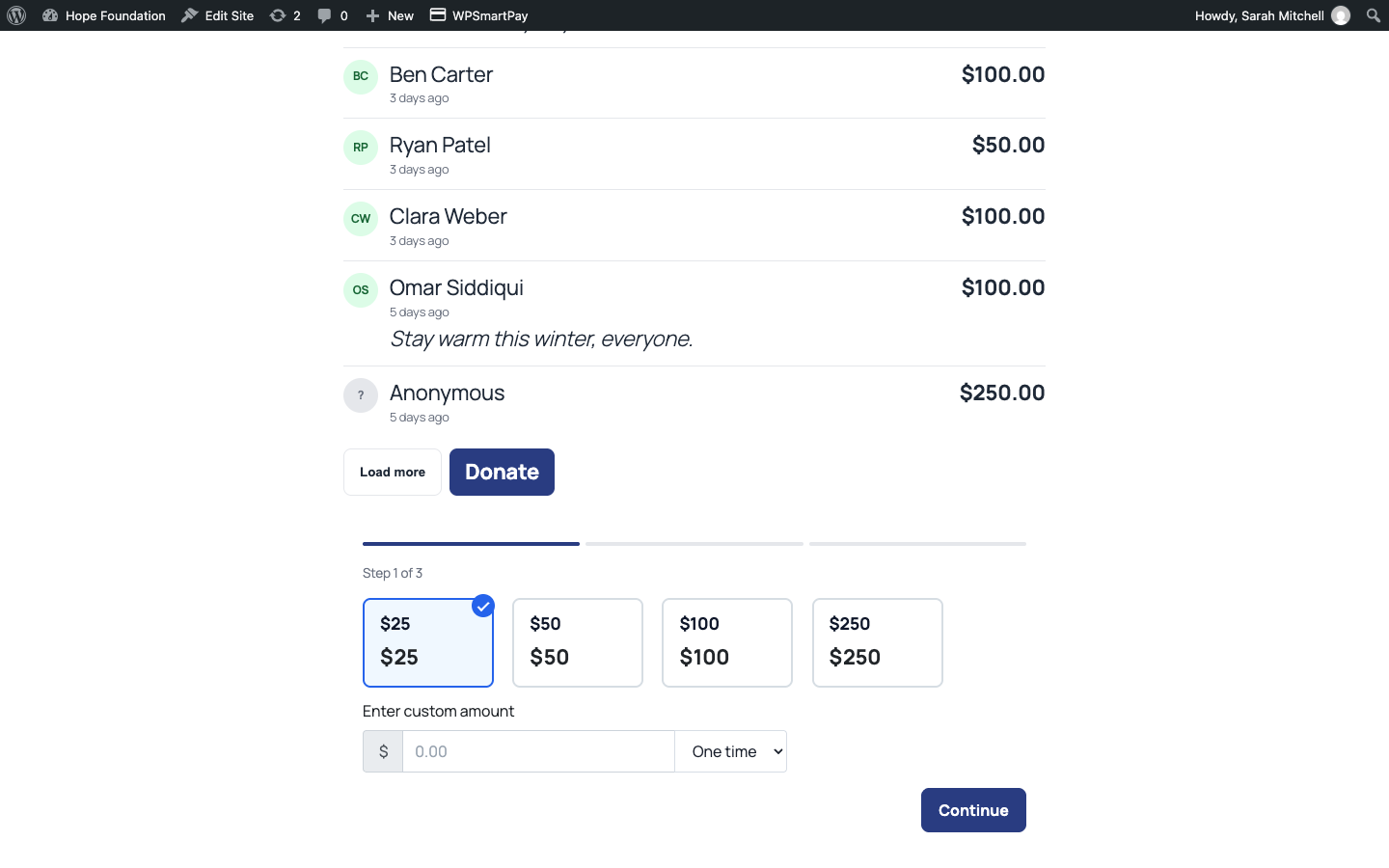
Give Anonymously
A checkbox. Default label: "Give anonymously — your name won't appear publicly". Anonymous gifts still count toward campaign totals and still appear, with the donor's name, in the admin.
Donor Comment
A message box (max 1000 characters) for a public message the donor leaves with their gift.
Label — Default "Leave a message (optional)".
Placeholder
Help text
Tribute (In Honor / In Memory)
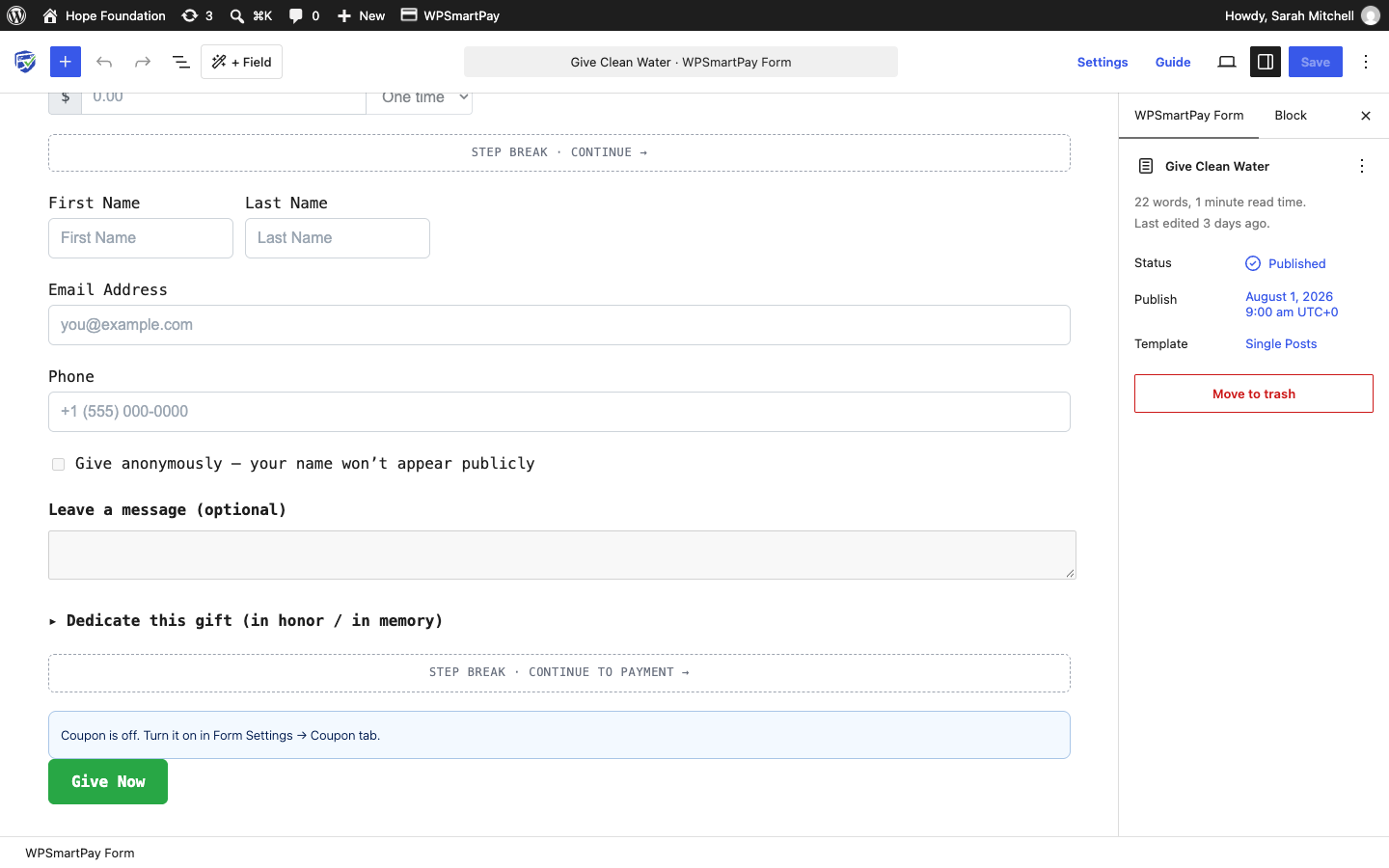
A collapsible "Dedicate this gift (in honor / in memory)" section with In honor of / In memory of and a name field. You can change the label in the block settings.
Step Break
Splits the form into steps with a progress bar and Back / Continue buttons. Fields above the block are one step; the payment is always the final step.
Button label — Default "Continue".
Next step title — Optional.
Each step is validated before the donor can continue.
Note: Steps only work at the top level of the form — not inside a Group or Columns block — and are not used with the Split checkout layout.
The Charity Donation Template
Blocks in order: Goal progress, suggested amounts ($25 / $50 / $100 / $250) in the Pricing block, Step Break, Name, Email, Phone, Give Anonymously, Donor Comment, Tribute, Step Break ("Continue to payment"), and the Give Now button.
Where Donor Answers Appear
Every answer is saved with the gift. It shows in the Donation card on the payment detail page and in the campaign's Donors tab.