
A donor is anyone with at least one completed gift on a campaign form or on a form marked as a donation form. Donors are listed separately from customers, so your sales and fundraising records stay clean.
Opening the Donors List
Go to SmartPay → Contacts and click the Donors tab.
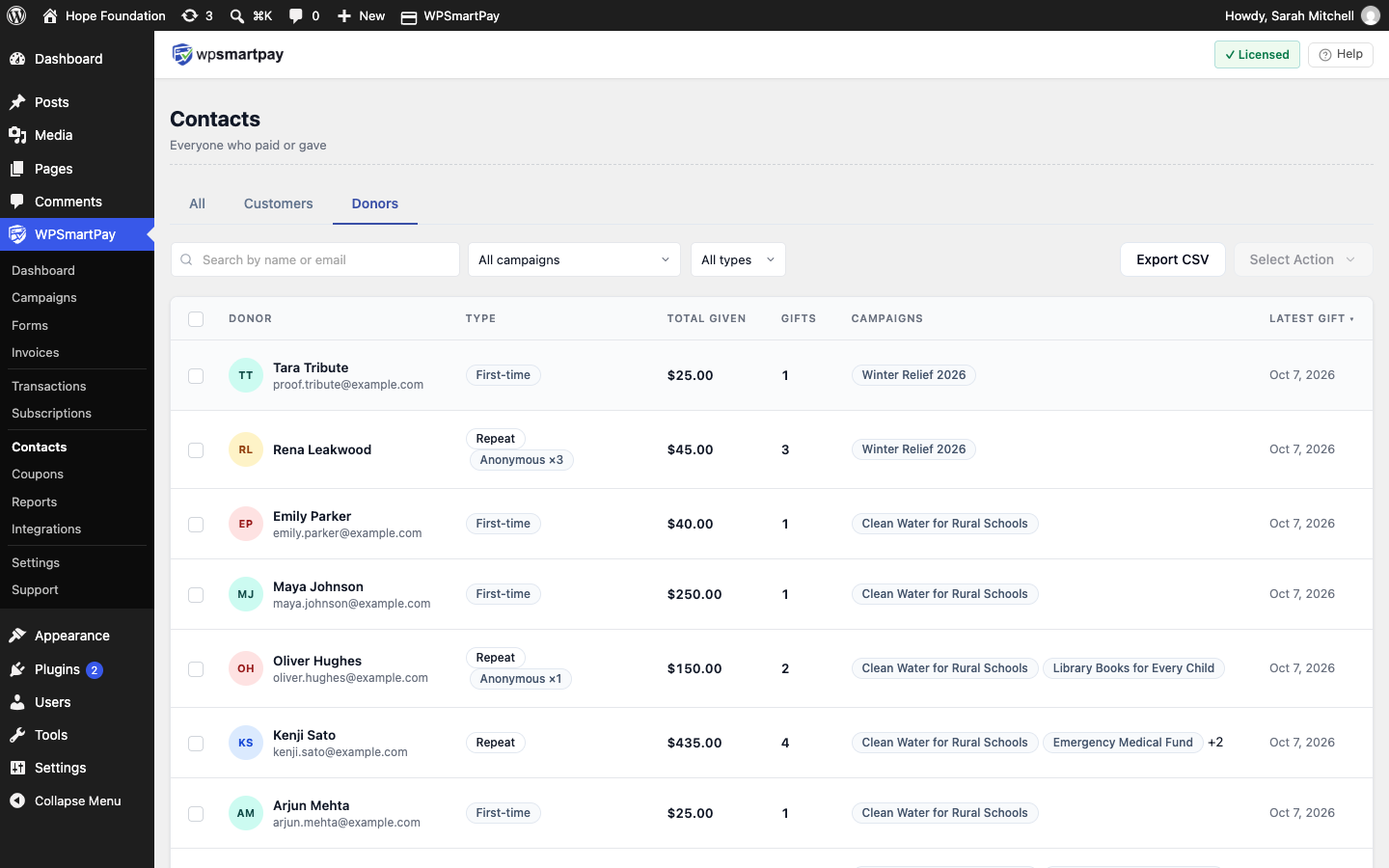
Column Overview
Donor — Name and email.
Type — First-time, Repeat or Recurring, plus "Anonymous ×N" if they gave anonymously.
Total given, Gifts, Latest gift — Click the column header to sort.
Campaigns — The campaigns this donor gave to, or "Donation form" for gifts outside a campaign.
Search by name or email, or filter by Campaign and Donor type.
Donor Types
Donor type is calculated automatically. You cannot set it by hand.
Type | Meaning |
|---|---|
First-time | Exactly one completed gift |
Repeat | Two or more completed gifts |
Recurring (Pro) | Has an active recurring gift. The badge shows the amount per month, for example "Recurring · $25/mo". |
Donor Profile
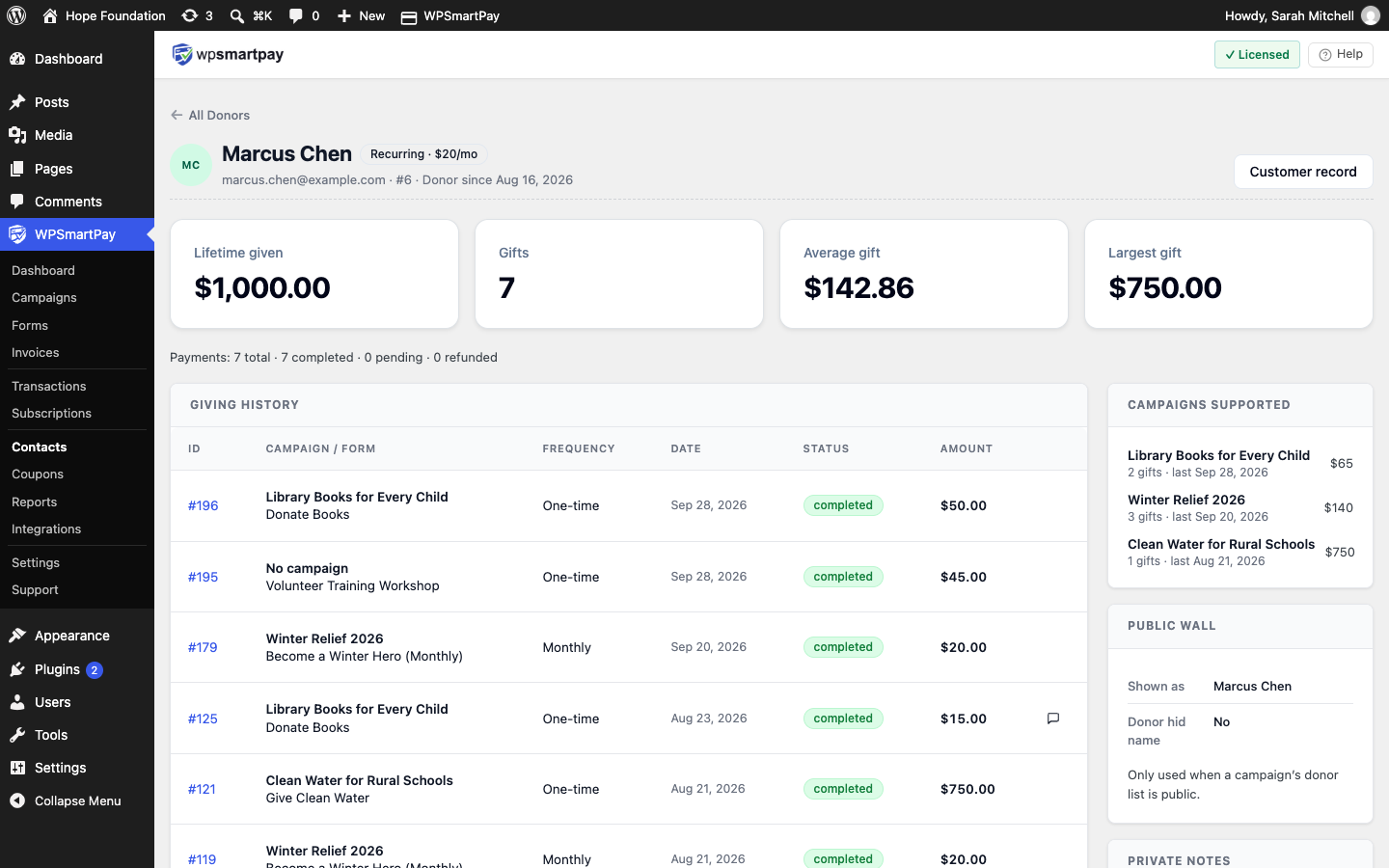
Click a donor to open their profile:
Lifetime given, Gifts, Average gift, Largest gift
Giving history — Every gift with campaign or form, frequency, date, status and amount.
Campaigns supported
Public wall — How the donor's name is shown, and whether they chose to hide it.
Private notes (Pro) — Notes only admins can see.
Customer record — Opens the underlying contact record.
Donors Who Are Also Customers
The Contacts menu has three tabs:
All — Everyone, with a Role badge: Customer, Donor or Customer + Donor.
Customers — People who bought something. People who only donated are not listed here.
Donors — People who gave.
See Contacts List.
What Donors See: the Giving Tab
When your site has at least one donation form, the customer dashboard ([smartpay_dashboard]) shows a Giving tab with:
Lifetime given, gift count, active recurring total and donor-since date
Recurring gifts — Donors can Cancel a recurring gift here (Pro). Future payments stop; past gifts are kept.
Campaigns you support
Donation history — With a link to each receipt, and a PDF link in Pro.
Privacy — Hide my name on public donor walls. Past and future gifts show as "Anonymous"; they still count toward campaign totals.
Deleting a Donor
Select donors and choose Delete selected.
Warning: This deletes the contact record.