
Enrolls customers into FluentCommunity spaces on payment completion and optionally removes them on subscription cancellation.
Ideal for paid community memberships where access is tied to an active subscription.
Requirements
FluentCommunity must be installed and active (free version on WordPress.org). Create at least one Space in FluentCommunity → Spaces before configuring this integration.
Setup
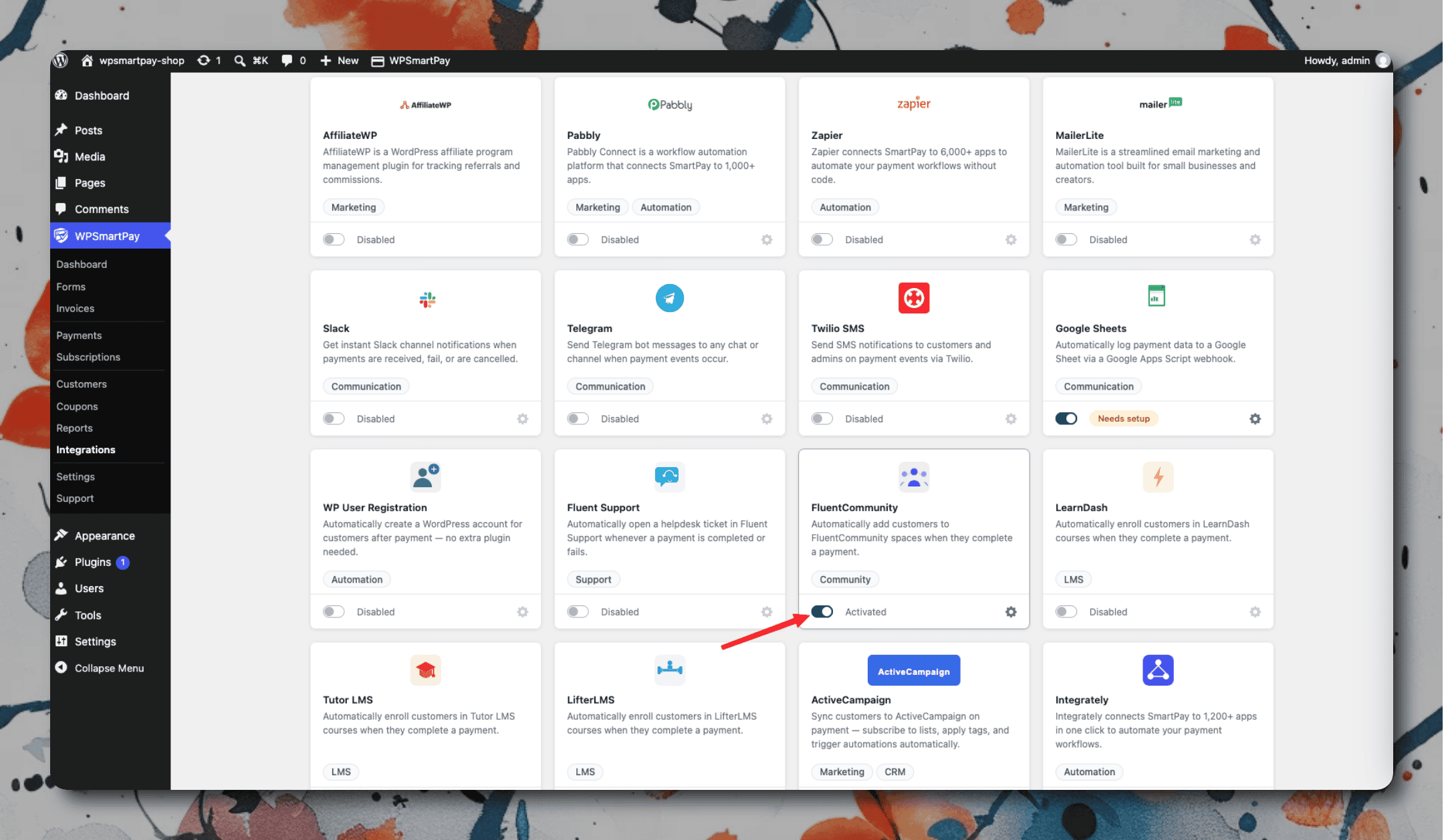
Go to SmartPay → Extensions and toggle FluentCommunity on.
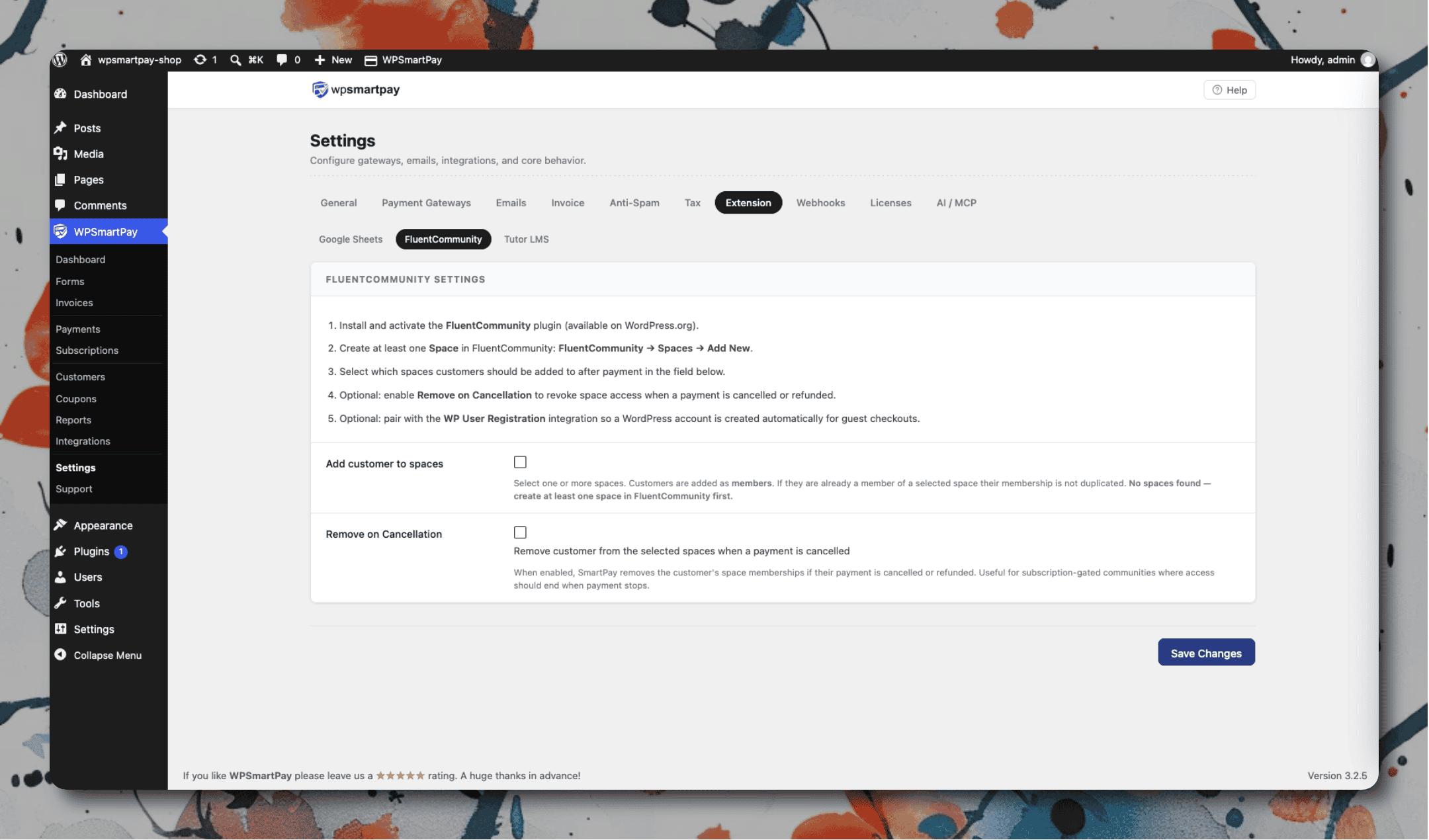
Click the gear icon to open Settings → Extensions → FluentCommunity.
Select the default Space to enroll customers into on payment completion.
Enable Remove on Cancellation to unenroll customers when their subscription is cancelled.
Click Save Changes.
Per-form space override: Open any form in the form editor, go to the FluentCommunity panel in the sidebar, and select a different space for that specific form.