
Form Analytics & Conversion Data (Pro)
WP SmartPay Pro tracks how each payment form performs — how many times it is viewed, how many payments it generates, and what percentage of visitors convert into paying customers. This data lives in the Reports → Forms tab.
Accessing Form Analytics
- Go to SmartPay → Reports.
- Click the Forms tab.
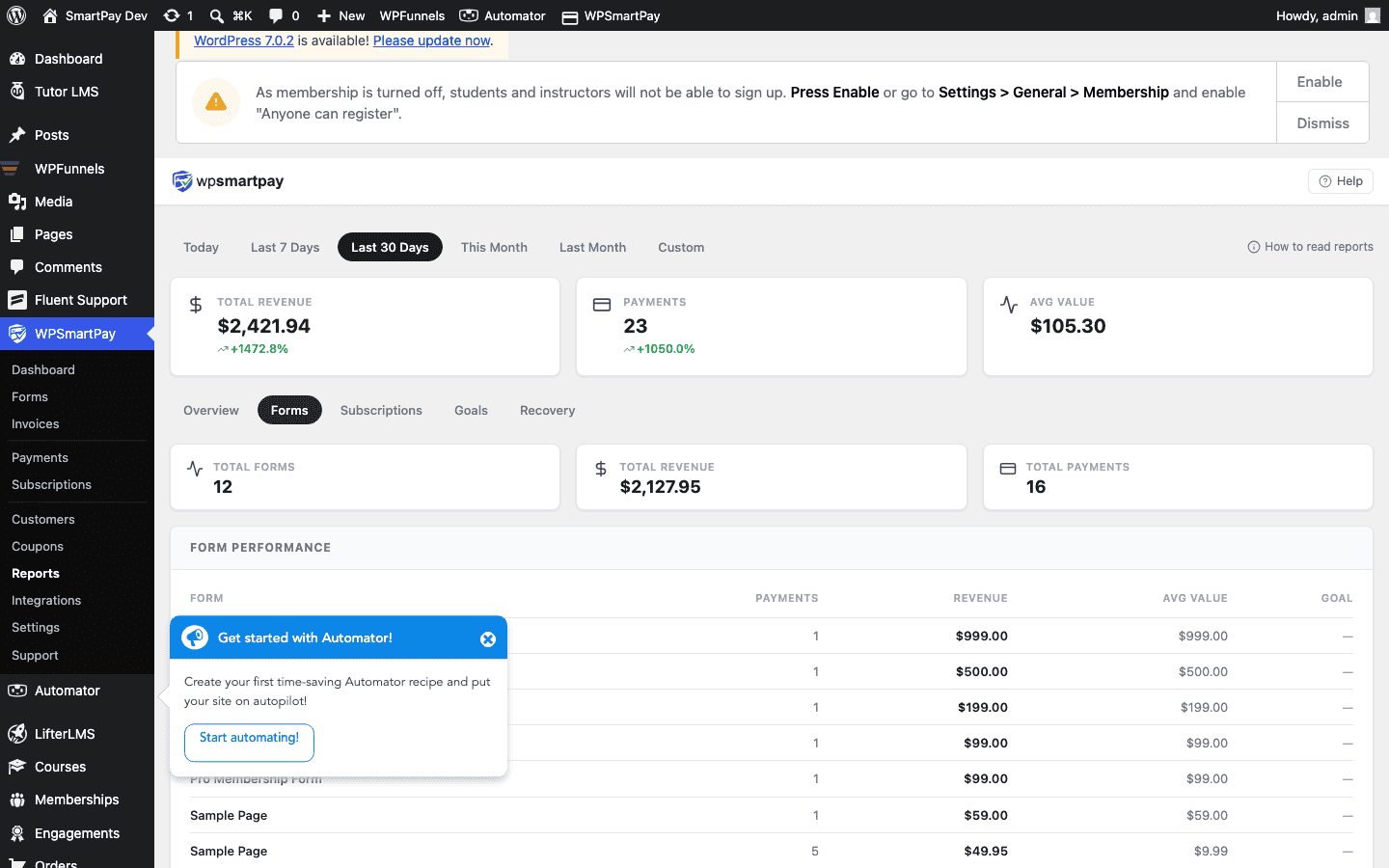
What the Report Shows
The Forms report table has one row per active form with the following columns:
- Form Name — The title of the payment form, with a link to edit it.
- Views — Total number of times the form was loaded on a page during the selected period.
- Completions — Number of successful (Completed status) payments submitted through the form.
- Revenue — Total revenue from completed payments on this form in the selected period.
- Conversion Rate — Completions ÷ Views × 100. A higher rate means more visitors are completing checkout.
Date Filter
Use the date range selector at the top of the Reports page to filter all metrics to a specific period: Today, This Week, This Month, or a custom range. Changing the period updates all tabs simultaneously.
Sorting the Table
Click any column header to sort the table by that metric. Click again to reverse the sort order. Sorting by Revenue identifies your highest-earning forms; sorting by Conversion Rate reveals which forms are most effective at converting visitors.
Interpreting Conversion Rate
- A low conversion rate with high views suggests the form is being discovered but something is stopping checkout completion — possibly the price, a confusing layout, or a required login gate.
- A high conversion rate with low views means the form converts well but needs more traffic — consider embedding it on more pages or promoting the URL.
Note: Views are tracked only when the form shortcode [sp_form id="…"] or the WP SmartPay Form block is rendered on a published page. Views from editor previews or password-protected pages are not counted.