
The MCP Adapter is a free WordPress plugin from the official WordPress GitHub organization that exposes WP SmartPay's 15 AI abilities over HTTP, making them available to AI assistants like Claude. WP SmartPay Pro registers the abilities; the MCP Adapter is the bridge that lets AI clients discover and call them.
Note: The MCP Adapter is not on the WordPress.org plugin directory. It lives at github.com/WordPress/mcp-adapter. You can install it in one click from the SmartPay settings page, or manually from the GitHub release.
Before You Start
WP SmartPay Pro installed and licensed
WordPress 6.5 or later
PHP 8.1 or later
Method 1 — One-Click Install from SmartPay Settings
This is the fastest path. SmartPay downloads and activates the MCP Adapter for you directly from the settings page.
Go to WPSmartPay → Settings → AI / MCP.
On the MCP Connection tab, look at the Connection Status card. If the MCP Adapter is not yet installed, you will see a gray dot labeled "MCP Adapter not installed" and an Install MCP Adapter button.
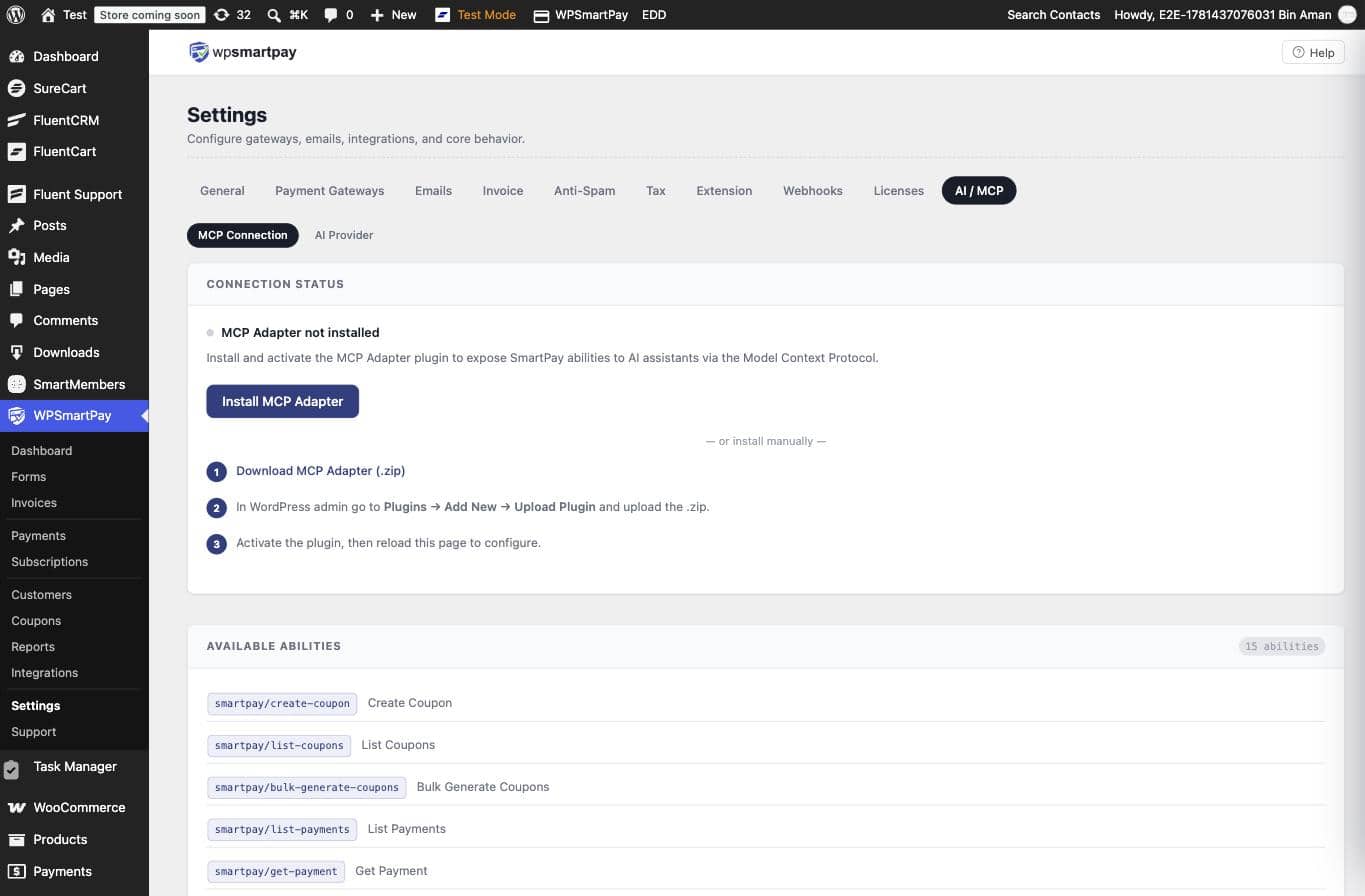
Click Install MCP Adapter. SmartPay downloads the latest release from GitHub, installs, and activates the plugin automatically.
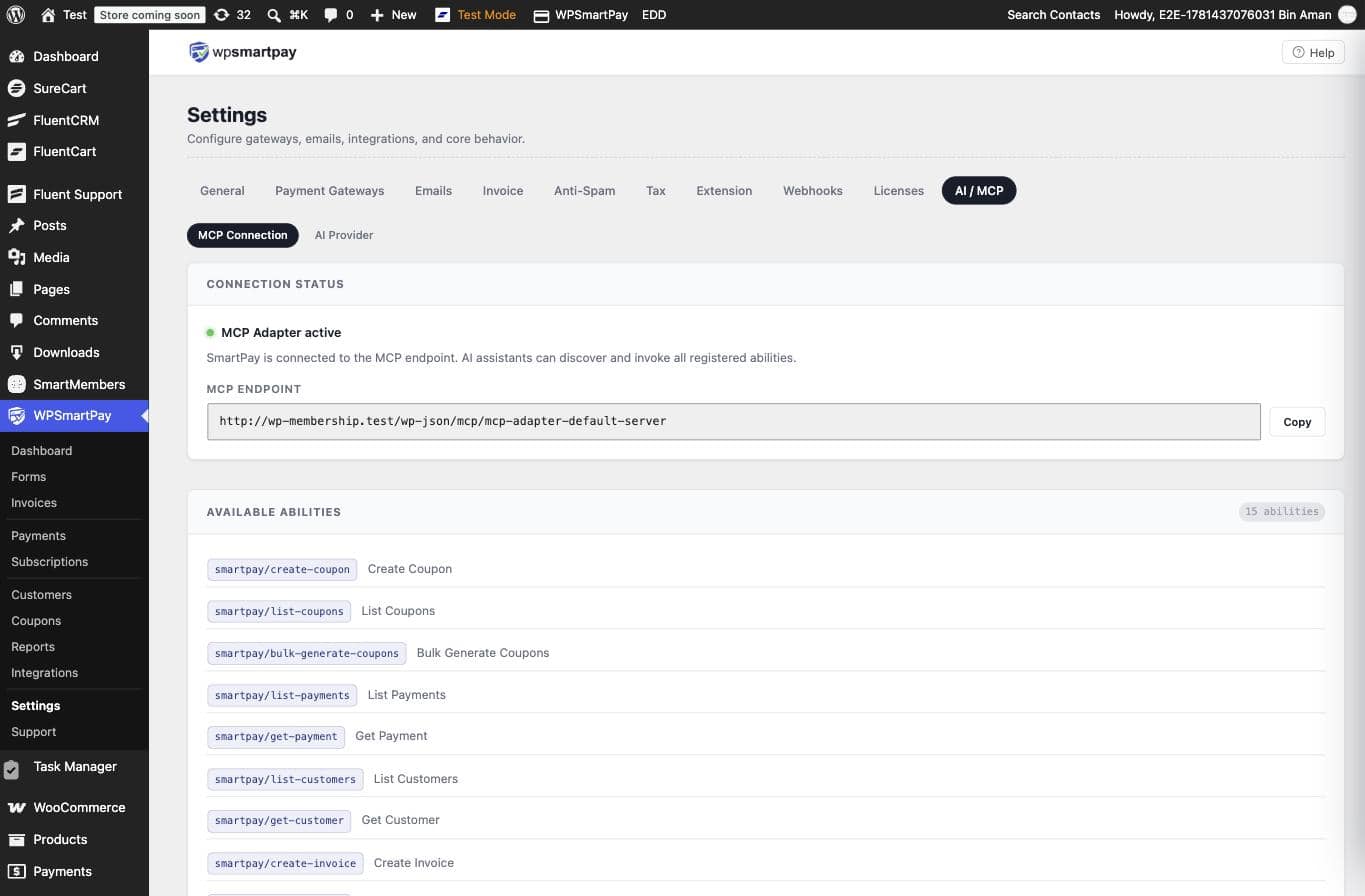
The page refreshes. The Connection Status card now shows a green dot: "MCP Adapter active". Your MCP endpoint URL is displayed in the card — copy it for use in Claude Code or Claude Desktop.
Method 2 — Manual Install from GitHub
Use this method if your server cannot reach external URLs, or if you prefer to install plugins manually.
Go to WPSmartPay → Settings → AI / MCP → MCP Connection. In the Connection Status card, click Download MCP Adapter (.zip). This links directly to the latest release ZIP on GitHub:
https://github.com/WordPress/mcp-adapter/releases/latest.In your WordPress admin, go to Plugins → Add New Plugin, then click Upload Plugin at the top of the page.
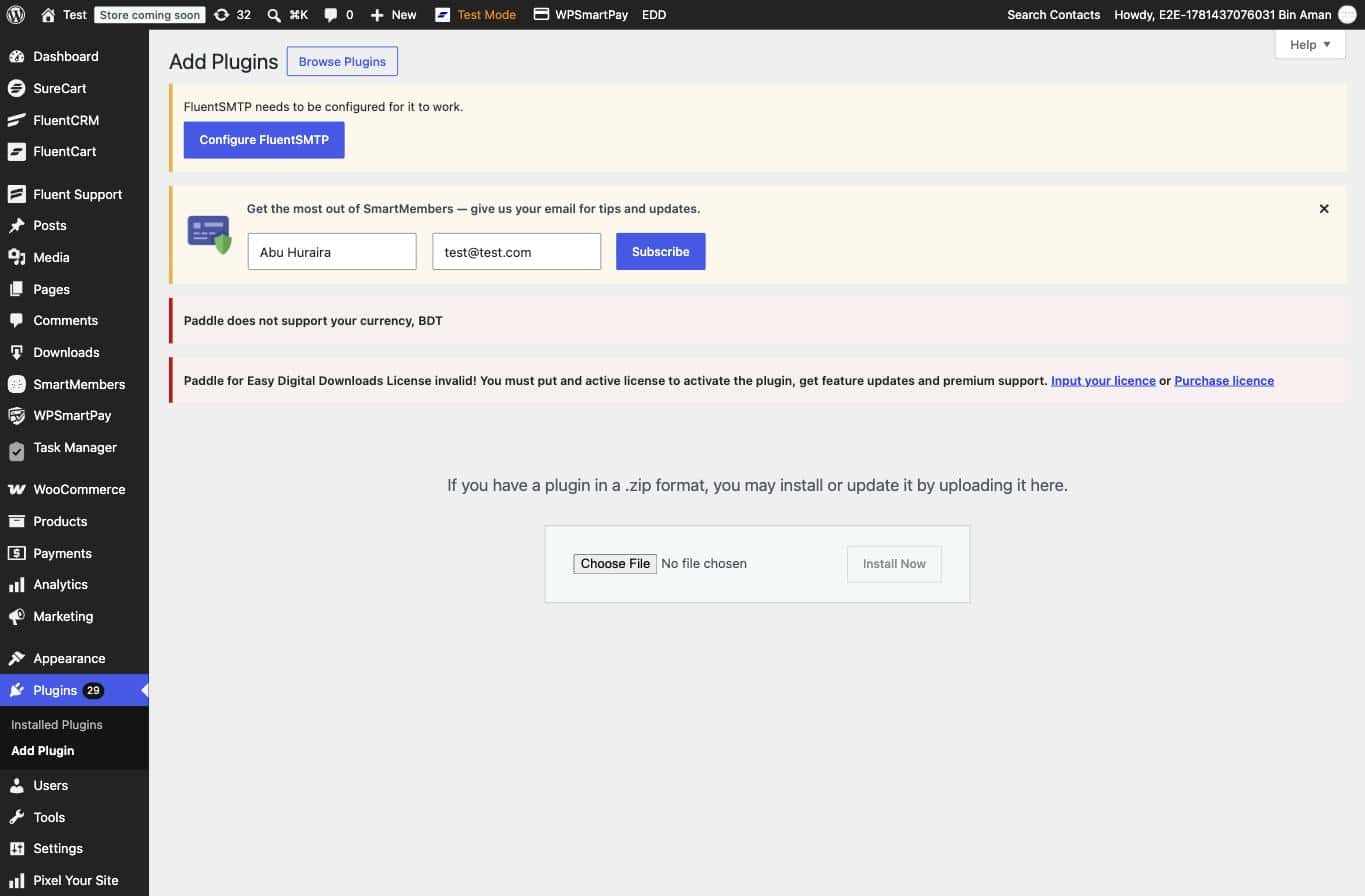
Click Choose File, select the
mcp-adapter.zipyou downloaded, then click Install Now.After installation completes, click Activate Plugin.
Return to WPSmartPay → Settings → AI / MCP. The Connection Status card now shows the green dot and your MCP endpoint URL.
After Installation
Once the MCP Adapter is active, the Connection Status card shows:
A green dot labeled "MCP Adapter active"
Your MCP Endpoint URL — the address AI clients use to discover and invoke SmartPay abilities
The Available Abilities card below it lists all 15 registered abilities. Copy the endpoint URL and follow the MCP Integration guide to connect Claude Code or Claude Desktop to your store.
Keeping the Plugin Updated
The MCP Adapter is hosted on GitHub, not WordPress.org, so it does not appear in the standard WordPress plugin update flow. To update it:
One-click (recommended): Go to Settings → AI / MCP and use the Install MCP Adapter button — it always fetches the latest release and overwrites the existing version.
Manual: Download the latest ZIP from github.com/WordPress/mcp-adapter/releases/latest and upload via Plugins → Add New → Upload Plugin. WordPress will prompt you to overwrite the existing plugin.
Frequently Asked Questions
Why is the MCP Adapter a separate plugin?
The MCP Adapter is a shared transport layer maintained by the WordPress project. Keeping it separate means any plugin can register abilities with it — not just SmartPay — and updates to the transport do not require SmartPay Pro to release a new version.
The Install button shows an error. What do I do?
The one-click installer requires your server to fetch files from github.com. If that is blocked by a firewall or restrictive hosting, use Method 2 (manual install) instead: download the ZIP on your local machine and upload it through WordPress.
Is the MCP Adapter free?
Yes — it is an open-source plugin published by the WordPress project at github.com/WordPress/mcp-adapter under an open-source license. There is no cost to install or use it.
Can I use the MCP Adapter with other plugins?
Yes. The MCP Adapter exposes any abilities registered via the WordPress Abilities API — other plugins can register their own. Installing it for SmartPay does not prevent other plugins from using it at the same time.
Will the MCP Adapter appear in my plugin update list?
No. WordPress checks for updates via the wp.org directory; GitHub-hosted plugins are not checked automatically. Use the Install button in SmartPay settings or check the GitHub releases page to stay up to date.