
PayPal Standard is the built-in payment gateway in the free WP SmartPay plugin. Customers are redirected to PayPal's hosted checkout to complete payment, then returned to your site. No PayPal developer account is needed — just a PayPal Business account and your PayPal email.
Prerequisites
- A PayPal Business account (free to create; personal accounts cannot receive business payments in all countries).
- HTTPS on your site for live payments (not required for test mode).
- WP SmartPay free plugin active.
Country Availability
PayPal Standard is available in most countries where PayPal operates. Check PayPal's country availability list to confirm support in your region.
Connecting PayPal Standard
- Go to SmartPay → Settings → Payment Gateways.
- Find PayPal Standard and tick Enable.
- Enter your PayPal Email (the email address of your PayPal Business account) in the Live Email field.
- For test mode, enter your PayPal Sandbox email in the Test Email field.
- Click Save Settings.
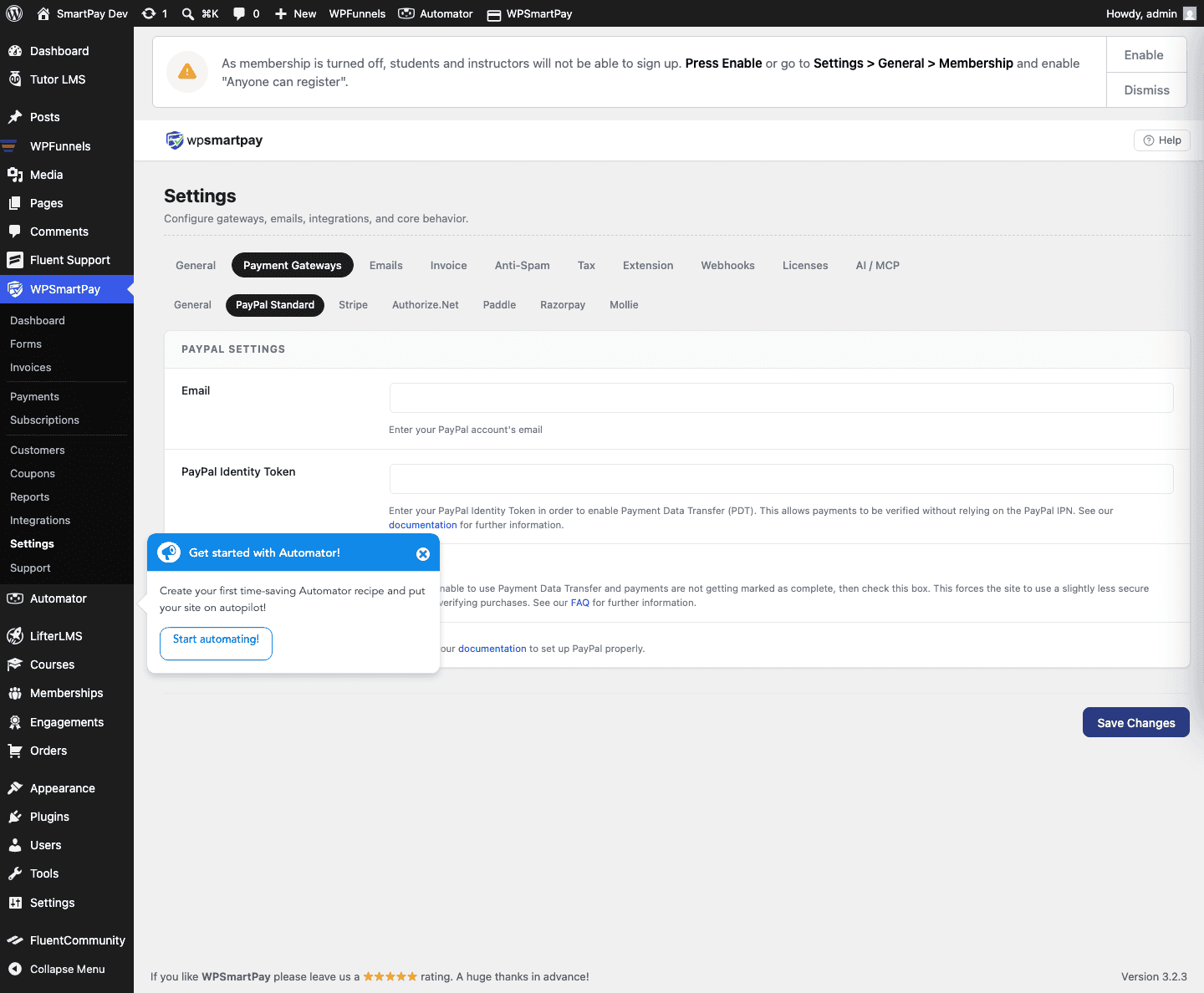
Test Mode Configuration
- Create a PayPal Sandbox account at developer.paypal.com.
- In the sandbox, create a Business account (seller) and a Personal account (buyer) for testing.
- Enter the sandbox Business email in the Test Email field in SmartPay.
- Toggle Test Mode on in Gateway Settings.
- Test a payment using the sandbox buyer account credentials.
PayPal IPN (Instant Payment Notification)
SmartPay uses PayPal IPN to receive payment confirmation. PayPal automatically sends an IPN notification to your site after each payment. SmartPay listens at a specific URL and updates the payment status when the IPN arrives.
SmartPay configures the IPN return URL automatically — no action required from you. If payments are stuck at Pending, check that your site is accessible from the internet (IPN cannot reach sites on localhost without a tunnel).
Supported Payment Methods
- PayPal account balance
- Credit and debit cards (via PayPal's hosted page)
- Pay Later / Buy Now Pay Later (where available in PayPal's checkout)
Supported Currencies
PayPal Standard supports most major currencies. See PayPal's supported currency list. If your store currency is not supported, customers will see a currency conversion prompt on PayPal's checkout page.
Common Errors & Fixes
- Payment stuck at Pending — IPN is not reaching your site. Confirm the site is live, HTTPS, and not behind a VPN or local tunnel. Also check PayPal's IPN settings in your PayPal dashboard.
- "The merchant's PayPal account is not configured to accept payments" — The PayPal email in SmartPay does not match a Business account, or the account is not verified.
- Test payments not working — Confirm Test Mode is on and the Test Email matches the sandbox Business account email, not the sandbox buyer email.