
Paddle Classic (also known as Paddle Vendor) is a merchant-of-record payment platform where Paddle handles tax collection, invoicing, and compliance on your behalf. Customers are redirected to Paddle's hosted checkout to complete payment.
Note: Paddle has two separate products: Paddle Classic (legacy) and Paddle Billing (new). This article covers Paddle Classic. If you are creating a new Paddle account today, Paddle will typically direct you to Paddle Billing — see the Paddle Billing guide instead.
Prerequisites
- A Paddle Classic account at paddle.com.
- Your Paddle Vendor ID and Vendor Auth Code from the Paddle Dashboard.
- WP SmartPay Pro with a valid license.
Finding Your Paddle Classic Credentials
- Log in to your Paddle Dashboard.
- Go to Developer Tools → Authentication.
- Copy your Vendor ID and Vendor Auth Code.
Connecting Paddle Classic in SmartPay
- Go to SmartPay → Settings → Payment Gateways.
- Find Paddle Classic and tick Enable.
- Enter your Vendor ID and Vendor Auth Code in the live fields.
- For test mode, toggle Sandbox in Paddle and use the sandbox credentials.
- Click Save Settings.
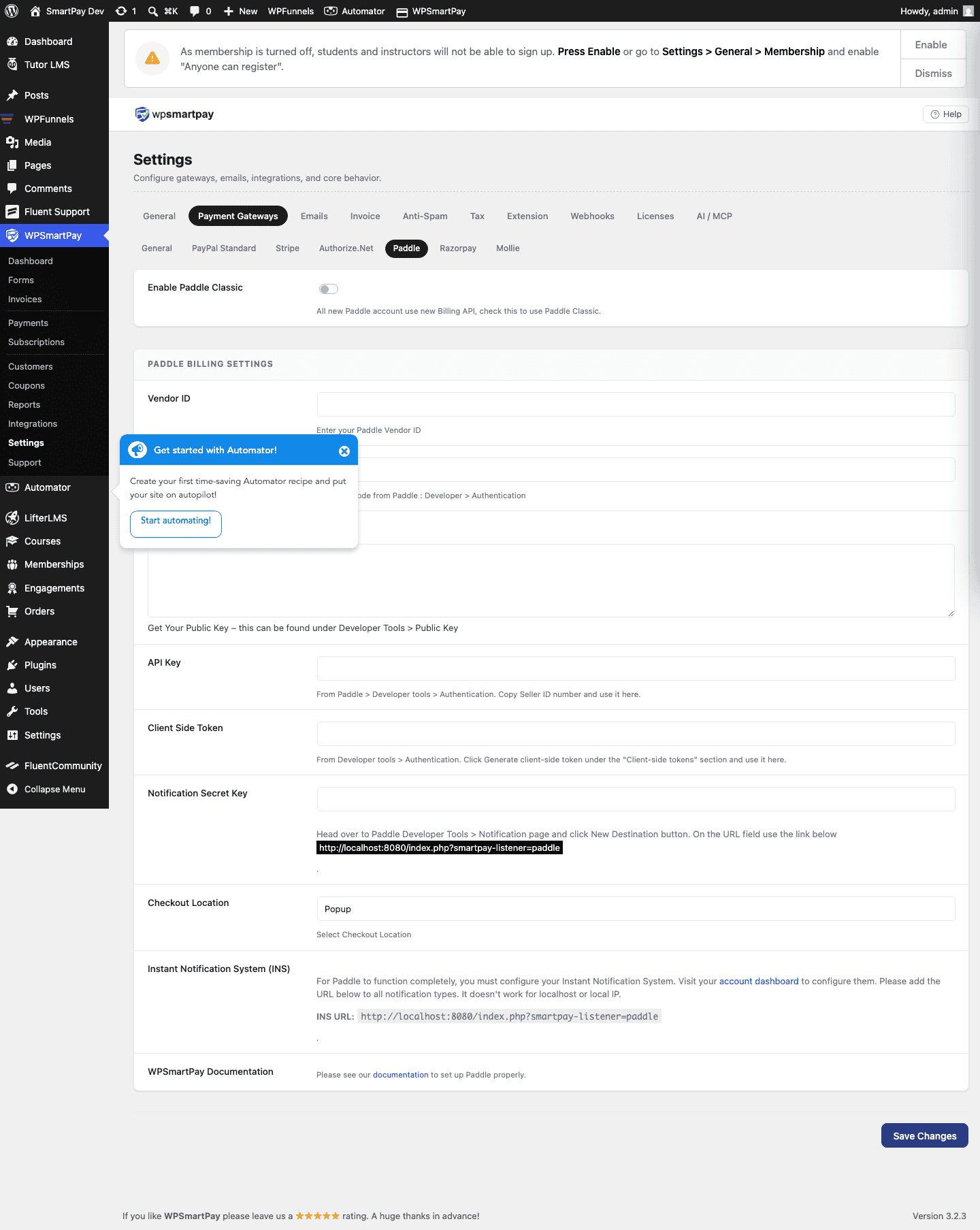
Setting Up Paddle Webhooks
- In your Paddle Dashboard, go to Developer Tools → Alerts / Webhooks.
- Set the webhook URL to:
https://yoursite.com/?smartpay-listener=paddle - Enable at minimum: Payment succeeded, Payment refunded, Subscription cancelled.
- Save the webhook configuration.
Supported Payment Methods
Paddle Classic handles payment method availability by region. Common options include Visa, Mastercard, PayPal, Apple Pay, and various local payment methods depending on the customer's country.
Tax Handling
As a merchant of record, Paddle automatically calculates and collects the correct VAT/sales tax for each customer based on their location. You receive net revenue after taxes. This is Paddle's main advantage for digital product sellers who need EU VAT compliance without managing it themselves.
Common Errors & Fixes
- "Invalid vendor credentials" — Double-check your Vendor ID and Auth Code are from the correct Paddle environment (live vs sandbox).
- Payments stuck at Pending — Webhook URL not configured or incorrect. Verify the URL in Paddle Dashboard webhooks.