
Paddle Billing is Paddle's modern payment infrastructure, replacing Paddle Classic for new accounts. It includes built-in subscription management, tax handling, and a hosted checkout overlay — all within the merchant-of-record model where Paddle manages VAT and sales tax compliance globally.
Prerequisites
- A Paddle Billing account at paddle.com. (New Paddle signups since 2024 are on Paddle Billing by default.)
- Your Paddle API key and webhook secret from the Paddle Dashboard.
- WP SmartPay Pro with a valid license.
Finding Your Paddle Billing API Key
- Log in to your Paddle Dashboard.
- Go to Developer → Authentication.
- Click Generate API Key and copy the key.
- For sandbox: switch to the Sandbox environment in Paddle (top-left toggle) and generate a separate sandbox API key.
Connecting Paddle Billing in SmartPay
- Go to SmartPay → Settings → Payment Gateways.
- Find Paddle Billing and tick Enable.
- Enter your Live API Key and Sandbox API Key.
- Click Save Settings.
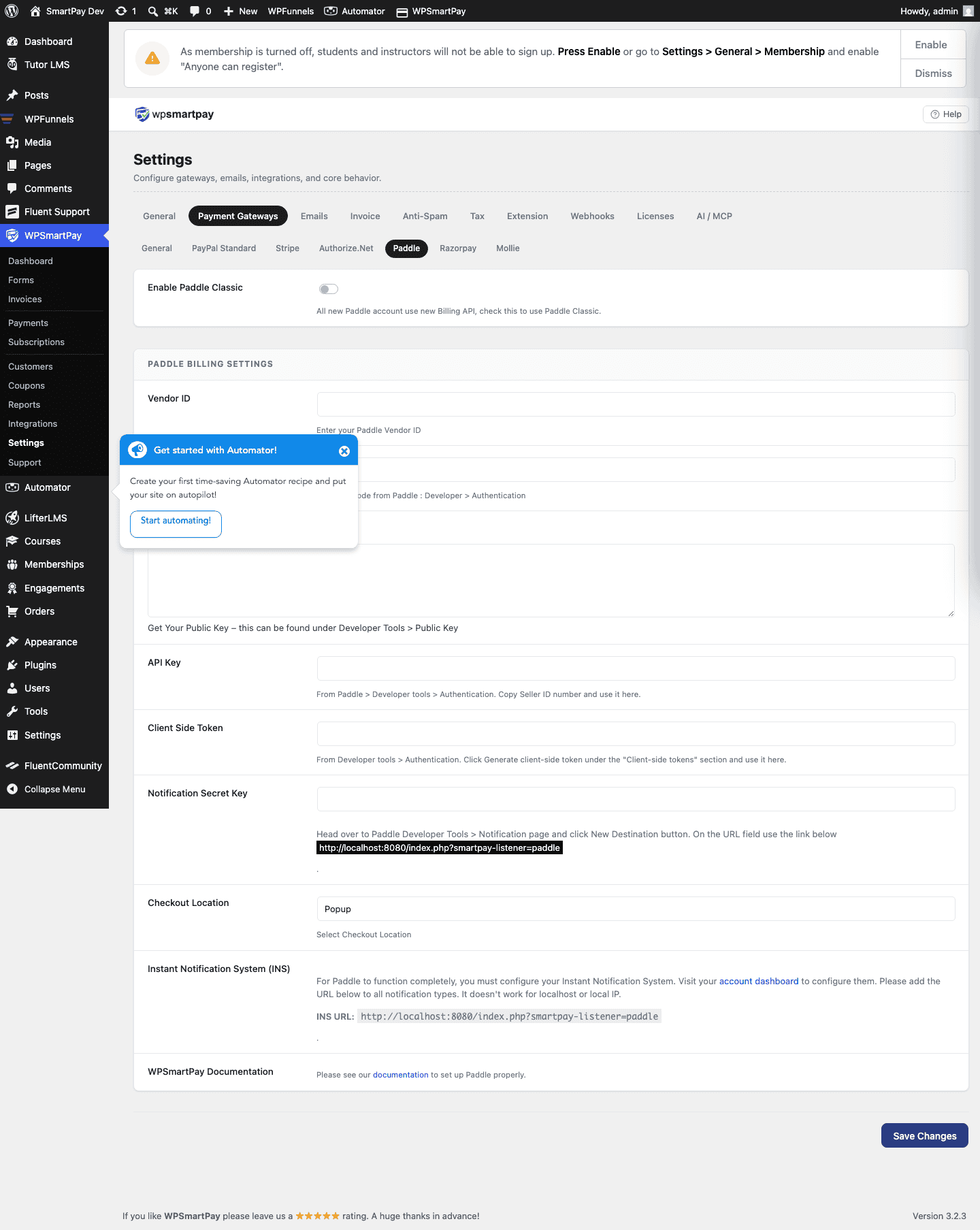
Setting Up Paddle Billing Webhooks
- In your Paddle Dashboard, go to Developer → Notifications.
- Click New destination → Webhook.
- Enter your SmartPay webhook URL:
https://yoursite.com/?smartpay-listener=paddle_billing - Select events: transaction.completed, transaction.payment_failed, subscription.cancelled, subscription.updated.
- Save and copy the Secret key shown after saving.
- Paste the secret key into SmartPay's Paddle Billing webhook secret field and save.
Subscription Support
Paddle Billing has native subscription management. When a customer subscribes through a SmartPay form using Paddle Billing:
- Paddle manages the billing schedule and renewals on its end.
- Each renewal triggers a
transaction.completedwebhook to SmartPay. - SmartPay creates a new Payment record for each renewal.
Supported Payment Methods
Visa, Mastercard, Apple Pay, Google Pay, PayPal, plus local payment methods based on customer location (iDEAL, Bancontact, etc.).
Tax Handling
As with Paddle Classic, Paddle Billing collects and remits VAT and sales tax globally on your behalf. You receive net revenue after taxes — no separate tax service needed.
Common Errors & Fixes
- "Invalid API key" — Confirm you are using the correct environment (live vs sandbox) key in SmartPay.
- Webhook signature failure — Webhook secret in SmartPay must match exactly what Paddle shows in the Notification destination detail.