
Mollie is a European payment gateway that supports a wide range of local and international payment methods through a single integration. It is especially popular in the Netherlands, Belgium, and Germany. WP SmartPay Pro integrates Mollie using the Mollie Checkout overlay.
Prerequisites
- A Mollie account. Account verification is required to go live.
- Your Mollie API key from the Mollie Dashboard.
- WP SmartPay Pro with a valid license.
Country Availability
Mollie is available to businesses in the European Economic Area (EEA). It accepts payments from customers worldwide.
Finding Your Mollie API Key
- Log in to your Mollie Dashboard.
- Go to Developers → API Keys.
- Copy the Live API key (starts with
live_) and the Test API key (starts withtest_).
Connecting Mollie in SmartPay
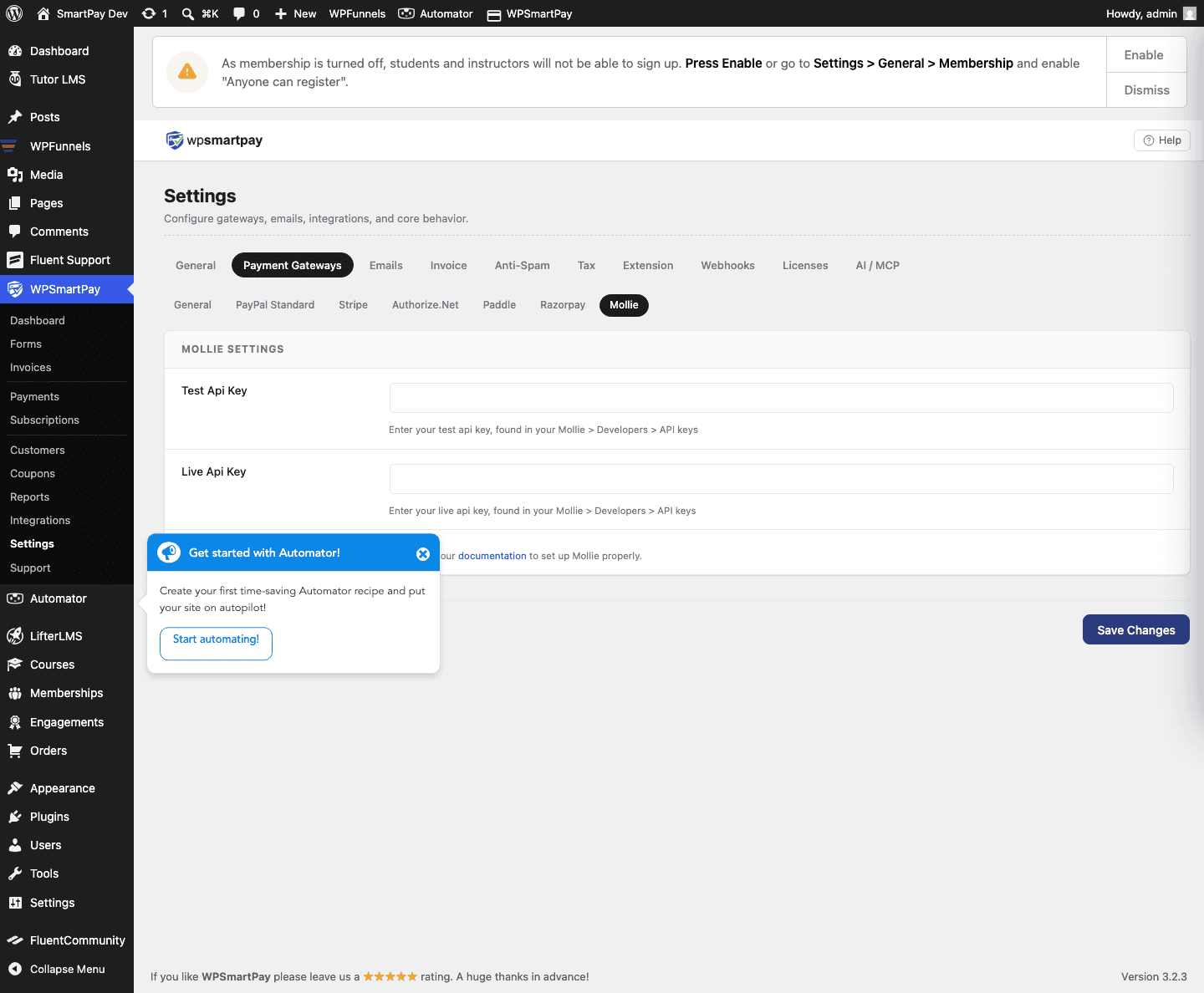
- Go to SmartPay → Settings → Payment Gateways.
- Find Mollie and tick Enable.
- Enter your Live API Key and Test API Key.
- Click Save Settings.
Setting Up Mollie Webhooks
Mollie sends webhooks automatically to SmartPay's webhook endpoint — no manual webhook URL configuration is required in the Mollie Dashboard. SmartPay passes the webhook URL to Mollie when creating each payment.
If payments are stuck at Pending, confirm that your site is publicly accessible at a valid HTTPS URL (Mollie cannot send webhooks to localhost or sites behind a VPN).
Supported Payment Methods
- iDEAL (Netherlands)
- Bancontact (Belgium)
- SOFORT (Germany, Austria)
- Klarna (Pay Now, Pay Later)
- Visa, Mastercard, American Express
- PayPal
- Apple Pay
- SEPA Direct Debit
- Giropay (Germany)
- EPS (Austria)
Supported Currencies
EUR is the primary currency. USD, GBP, and other currencies are accepted depending on the payment method and your Mollie account configuration.
Test Mode Configuration
Toggle Test Mode in SmartPay. Mollie's test environment simulates all payment methods — no real money moves. On the Mollie test checkout you can choose the payment result (success, failed, cancelled) from a dropdown to test different flows.
Common Errors & Fixes
- "The API key is invalid" — Confirm you are using a live key (starts with
live_) in live mode and a test key (test_) in test mode. - Payment method not appearing — Enable the payment method in your Mollie Dashboard → Payments → Manage payment methods.
- Payment stuck at Pending — Webhook not reaching your site. Confirm HTTPS, no firewall blocking, and no "coming soon" plugin active.