
bKash is Bangladesh's most widely used mobile financial service (MFS), with over 60 million registered users. WP SmartPay Pro integrates bKash's Payment Gateway API, allowing you to accept bKash payments directly on your WordPress site.
Prerequisites
- A bKash Merchant account — apply at bkash.com/business.
- Your bKash API credentials from the bKash Merchant Portal.
- WP SmartPay Pro with a valid license.
- HTTPS on your site.
Country Availability
bKash is only available to businesses registered in Bangladesh. Customers must have a bKash account (personal or merchant) to pay.
Finding Your bKash API Credentials
- Log in to the bKash Merchant Portal.
- Navigate to API Credentials.
- Copy your App Key, App Secret, Username, and Password.
- bKash provides separate credentials for sandbox (test) and production (live) — copy both sets.
Connecting bKash in SmartPay
- Go to SmartPay → Settings → Payment Gateways.
- Find bKash and tick Enable.
- Enter your Live App Key, App Secret, Username, and Password.
- Enter the same fields for your Sandbox credentials.
- Click Save Settings.
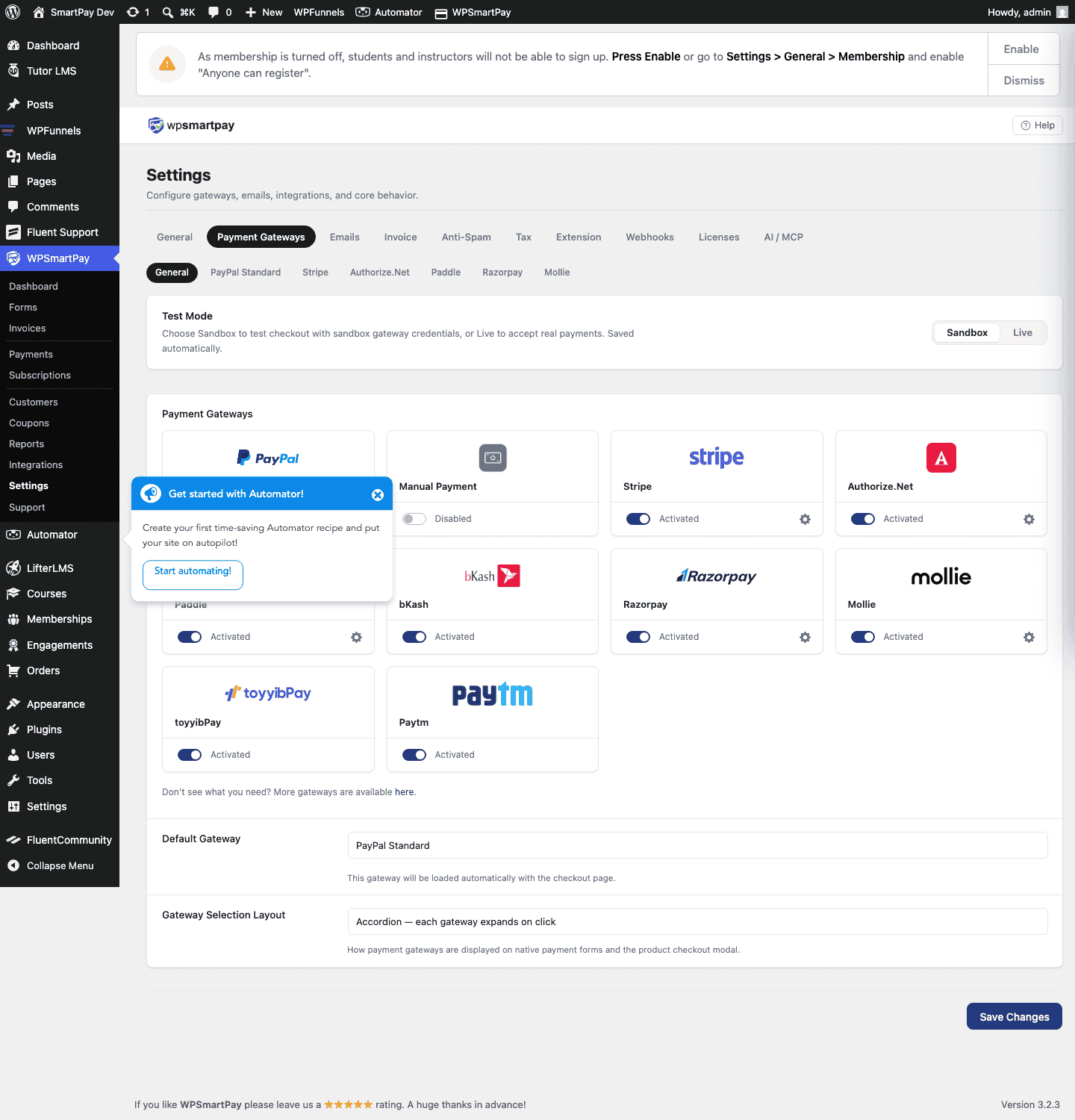
Test Mode Configuration
Toggle Test Mode on in SmartPay. Use bKash's sandbox credentials and the test phone numbers provided in the bKash developer documentation to simulate payments.
How bKash Checkout Works
When a customer chooses bKash at checkout:
- SmartPay creates a bKash payment token via the API.
- The customer is redirected to bKash's hosted payment page (or a PIN entry screen on mobile).
- After approval on the bKash app, the customer is returned to your site.
- SmartPay receives the payment callback and confirms the status.
Supported Currencies
Bangladeshi Taka (BDT) only.
Common Errors & Fixes
- "Invalid credentials" — App Key, App Secret, Username, or Password is incorrect. Copy credentials again from the bKash Merchant Portal carefully — some fields are case-sensitive.
- Sandbox payments not completing — Use only the test phone numbers provided in bKash's sandbox documentation; real bKash numbers will not work in sandbox mode.
- Payment expired — bKash tokens expire after a short period (typically 60 seconds). If the customer takes too long to enter their PIN, the transaction expires and must be retried.