
WP SmartPay Pro adds recurring billing to any payment form. Instead of a single one-time charge, subscription customers are billed automatically on a set schedule — weekly, monthly, annually, or at any custom interval — until they cancel or the plan expires.
What Is a Subscription in SmartPay?
A SmartPay subscription is a billing agreement between your site and a customer that:
- Defines an amount, a billing interval, and an optional end date.
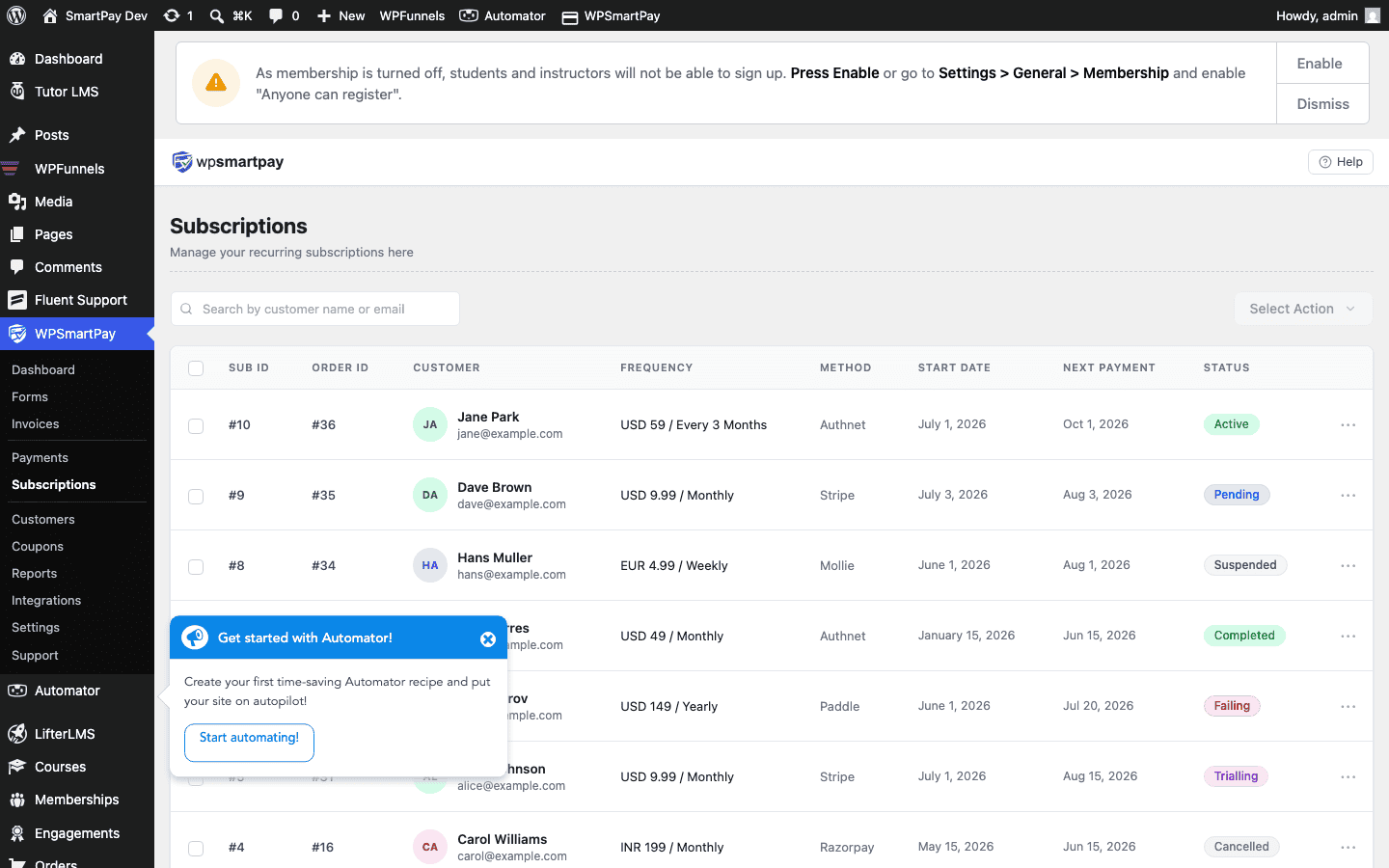
- Stores the agreement in SmartPay → Subscriptions.
- Automatically charges the customer on each renewal via the gateway.
- Creates a new Payment record for each successful renewal charge.
Supported Gateways
Recurring billing requires gateway-side support for subscription handling. SmartPay Pro supports subscriptions through:
- Stripe — Most widely used. Supports all SmartPay subscription features including trials, max billing cycles, and Smart Retries for failed renewals.
- Paddle Billing — Merchant-of-record model; Paddle handles tax collection and compliance. Supports monthly and annual plans.
Note: PayPal Standard does not support automated recurring billing through SmartPay. If you need PayPal subscriptions, you need a PayPal extension that handles PayPal's billing agreement flow, or use Stripe/Paddle instead.
Subscriptions vs One-Time Payments
| Feature | One-Time | Subscription |
|---|---|---|
| Creates a Payment record | ✓ (one) | ✓ (one per billing cycle) |
| Creates a Subscription record | ✗ | ✓ |
| Auto-charges on renewal | ✗ | ✓ |
| Cancellable by admin or customer | N/A | ✓ |
| Failed payment recovery | ✗ | ✓ (via gateway retries) |
How Subscriptions Relate to Payments
Every subscription has one or more payments linked to it. The first payment is created when the customer subscribes. Each subsequent renewal creates a new payment record with the subscription ID stored in its metadata. You can view all payments for a subscription from the subscription detail page.
Enabling Subscriptions on a Form
Subscriptions are configured per form. See Subscription Pricing & Billing Cycles for step-by-step instructions on enabling the subscription pricing mode on a payment form.