
WP SmartPay Pro can send real-time HTTP notifications to any external URL when payment events occur on your site. These outgoing webhooks are how you connect SmartPay to your own applications, internal tools, or services that don't have a built-in SmartPay integration.
Opening Webhook Settings
Go to SmartPay → Settings → Webhooks.
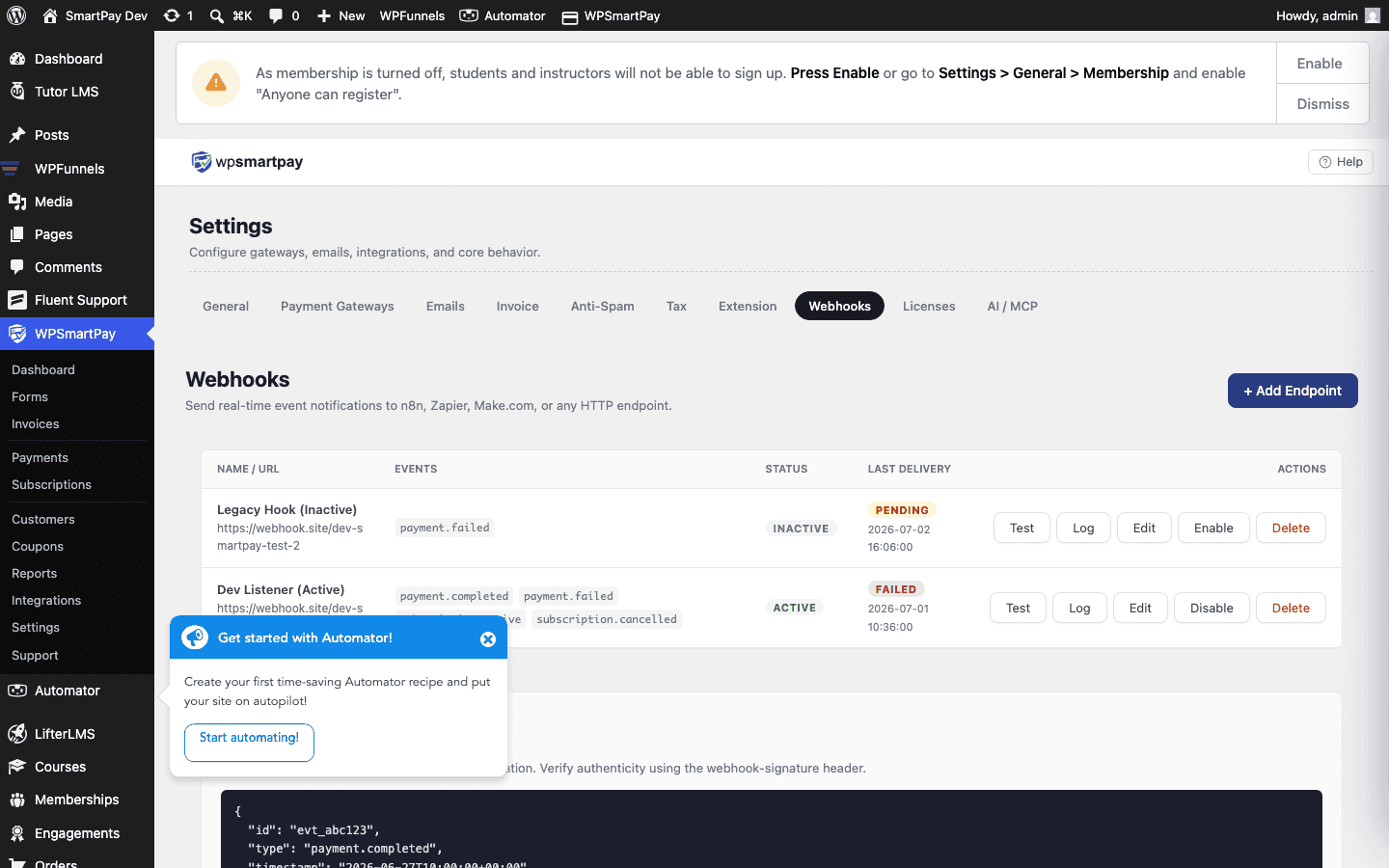
Adding a Webhook Endpoint
- Click Add Endpoint.
- Enter the Endpoint URL — the HTTPS URL that will receive POST requests from SmartPay.
- Enter an optional Secret — a random string used to sign the webhook payload for verification. If left blank, no signature is added.
- Select the Events you want this endpoint to receive (see list below).
- Click Save.
Available Events
payment.completed— A payment was successfully completed.payment.failed— A payment attempt failed.payment.refunded— A payment was refunded.subscription.created— A new subscription was created.subscription.cancelled— A subscription was cancelled.subscription.expired— A subscription reached its max billing cycles.subscription.renewed— A subscription renewal payment succeeded.customer.created— A new customer record was created.
Payload Format
Each webhook is a POST request with a JSON body. Example payment.completed payload:
{
  "event": "payment.completed",
  "timestamp": "2026-07-01T10:30:00Z",
  "data": {
    "id": 42,
    "amount": 2900,
    "currency": "USD",
    "status": "completed",
    "customer_email": "[email protected]",
    "customer_name": "Alice Johnson",
    "form_id": 5,
    "gateway": "stripe",
    "created_at": "2026-07-01T10:30:00Z"
  }
}
HMAC Signature Verification
If you set a Secret on the endpoint, SmartPay signs each payload using HMAC-SHA256 and sends the signature in the X-SmartPay-Signature header. Verify it in your receiving application:
// Node.js example
const crypto = require('crypto');
const secret = 'your_webhook_secret';
const payload = req.rawBody; // raw request body string
const signature = req.headers['x-smartpay-signature'];
const expected = crypto.createHmac('sha256', secret).update(payload).digest('hex');
const isValid = crypto.timingSafeEqual(Buffer.from(signature), Buffer.from(expected));
Delivery Log
Click an endpoint's row to see its Delivery Log — a list of recent webhook deliveries with the HTTP response code, response time, and whether the delivery succeeded (2xx) or failed (non-2xx).
Retrying Failed Deliveries
If a delivery failed (your server was down or returned a non-2xx status), click Retry on any failed log entry to re-send the webhook immediately.
Testing an Endpoint
Click Send Test on any saved endpoint to receive a sample payment.completed payload with placeholder data. Use this to confirm your receiving server is set up correctly before real events occur.