
WP SmartPay Pro includes a Model Context Protocol (MCP) server that exposes your payment data to AI assistants like Claude. Once enabled, you can ask an AI agent natural-language questions about your payments, customers, subscriptions, and invoices — without writing SQL or navigating multiple admin screens.
Opening MCP Settings
Go to SmartPay → Settings → AI / MCP.
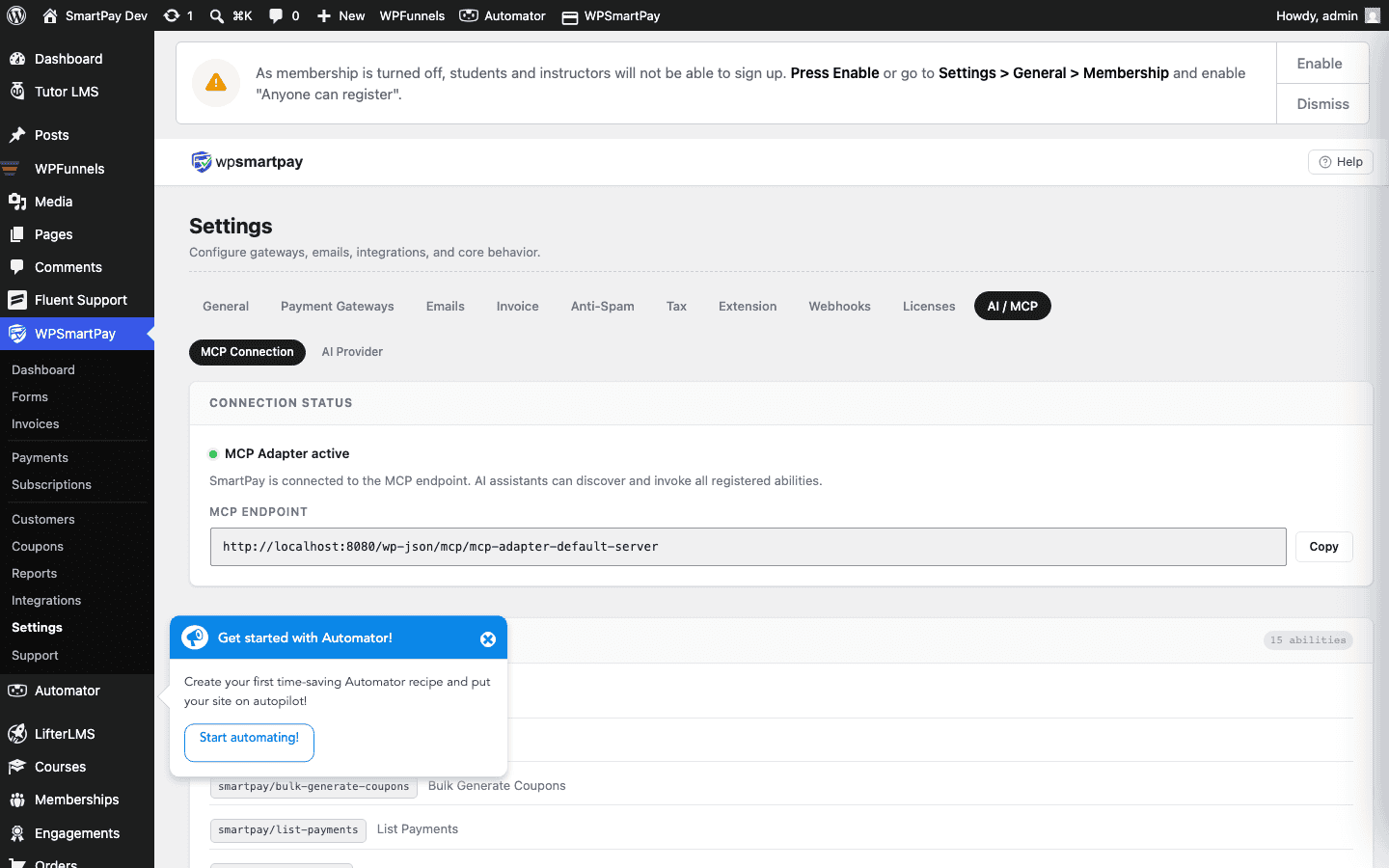
Available Abilities
The SmartPay MCP server provides 15 abilities that your AI assistant can call:
- list_payments — List payments with filters (status, date range, customer email)
- get_payment — Get full details of a single payment by ID
- list_customers — List customers with optional search
- get_customer — Get a customer profile by ID or email
- list_subscriptions — List subscriptions with status filter
- get_subscription — Get subscription details and renewal history
- list_invoices — List invoices with status filter
- get_invoice — Get a full invoice by ID
- list_coupons — List all coupons with usage data
- create_coupon — Create a new coupon via AI
- list_forms — List all payment forms
- get_reports — Get revenue, subscription, and form analytics
- get_customer_payments — All payments for a specific customer
- search_payments — Full-text search across payments
- get_site_info — SmartPay version, currency, and plugin config
Connecting Claude Desktop
- On the MCP Settings page, copy the Server URL and API Token.
- Open your Claude Desktop app and go to Settings → MCP Servers.
- Click Add MCP Server.
- Paste the Server URL and API Token.
- Click Connect.
Once connected, open a new Claude conversation and ask questions like:
- "Show me payments from this week over $100."
- "Who are my top 5 customers by revenue?"
- "Create a 20% off coupon called SUMMER2026 expiring July 31."
- "How many active subscriptions do I have?"
Connecting Claude Code
If you use Claude Code in your terminal, add the SmartPay MCP server to your ~/.claude/mcp.json (or your project's .claude/mcp.json):
{
  "servers": {
    "smartpay": {
      "url": "https://yoursite.com/wp-json/smartpay-pro/v1/mcp",
      "headers": {
        "Authorization": "Bearer YOUR_API_TOKEN"
      }
    }
  }
}
Replace the URL and token with the values from MCP Settings.
Security
The MCP API token grants read (and limited write) access to your payment data. Treat it like a password:
- Never share the token publicly or commit it to a public git repository.
- Regenerate the token from MCP Settings if it is ever compromised.
- The MCP server only accepts HTTPS requests — plain HTTP requests are rejected.