
Automatically creates a WordPress user account when a customer completes a payment. Ideal for membership or course sites that require a WordPress account to access gated content.
Requirements
User Registration by WPEverest must be installed and active. The free version available on WordPress.org is sufficient.
Setup
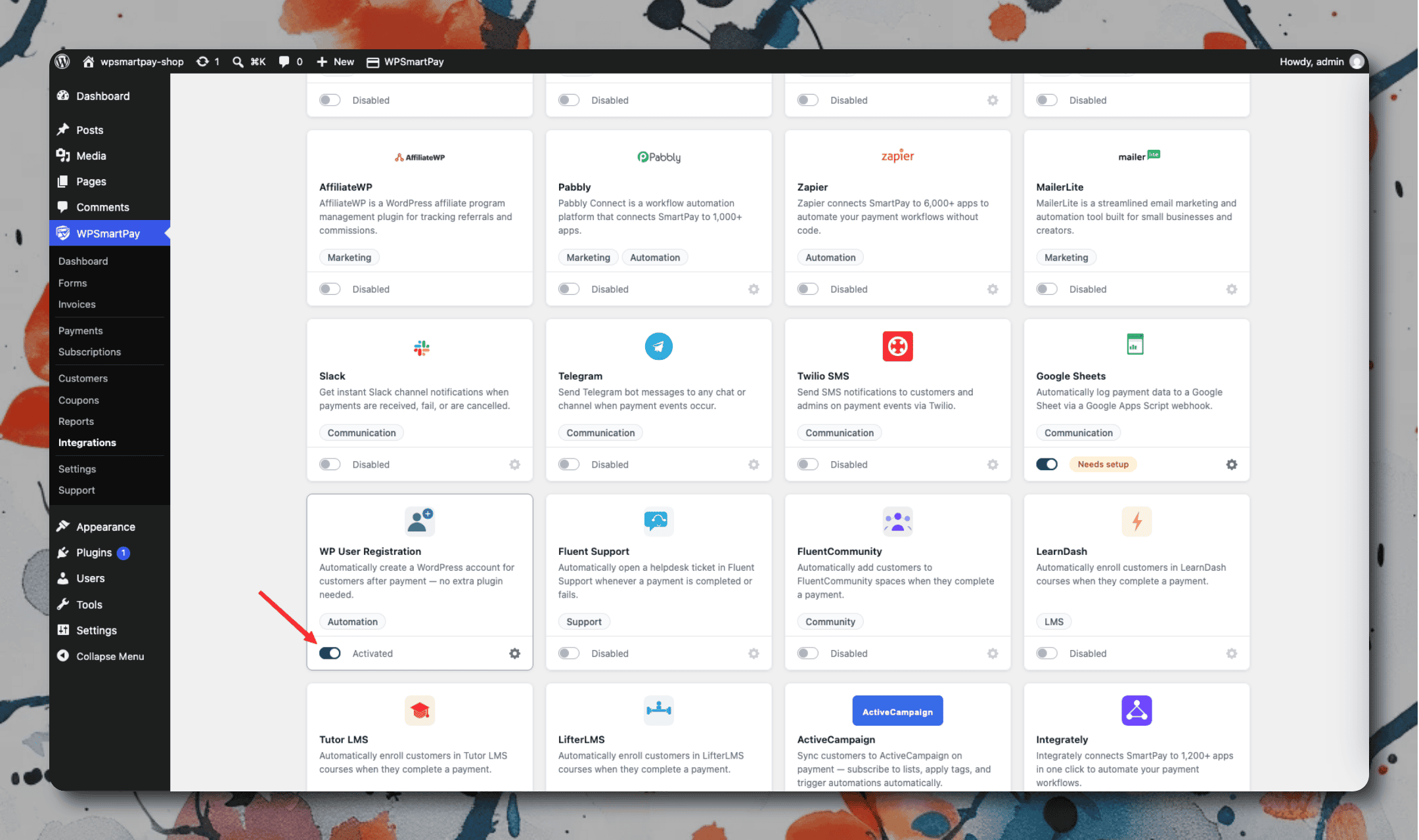
Go to SmartPay → Extensions and toggle WP User Registration on.
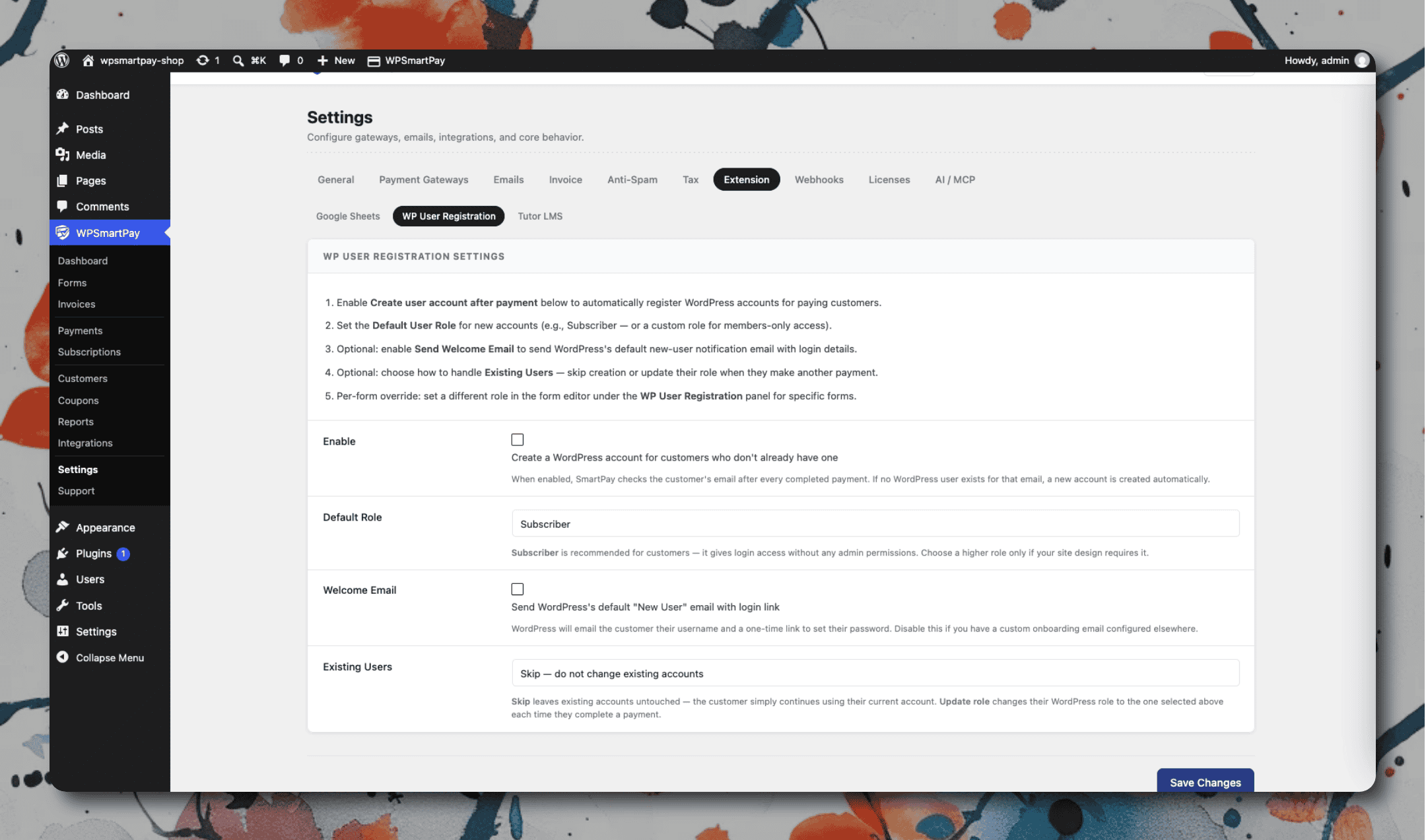
Click the gear icon to open Settings → Extensions → WP User Registration.
Choose the default User Role to assign on account creation (e.g. Subscriber).
Enable Send Welcome Email to notify new users with their login credentials.
Click Save Changes.
Per-form role override: Open any form in the form editor, go to the WP User Registration panel in the sidebar, and set a different role for purchases through that specific form.