





Collecting donations in WordPress usually means adding heavy plugins or complex carts.
If you have reviewed popular WordPress donation plugins, you know most tools require separate addons. We built native donation features directly into WPSmartPay.
You can run fundraising appeals, accept recurring gifts, and track supporters without extra software.
Here is what is new and how it works.
Donation Campaigns with Goals
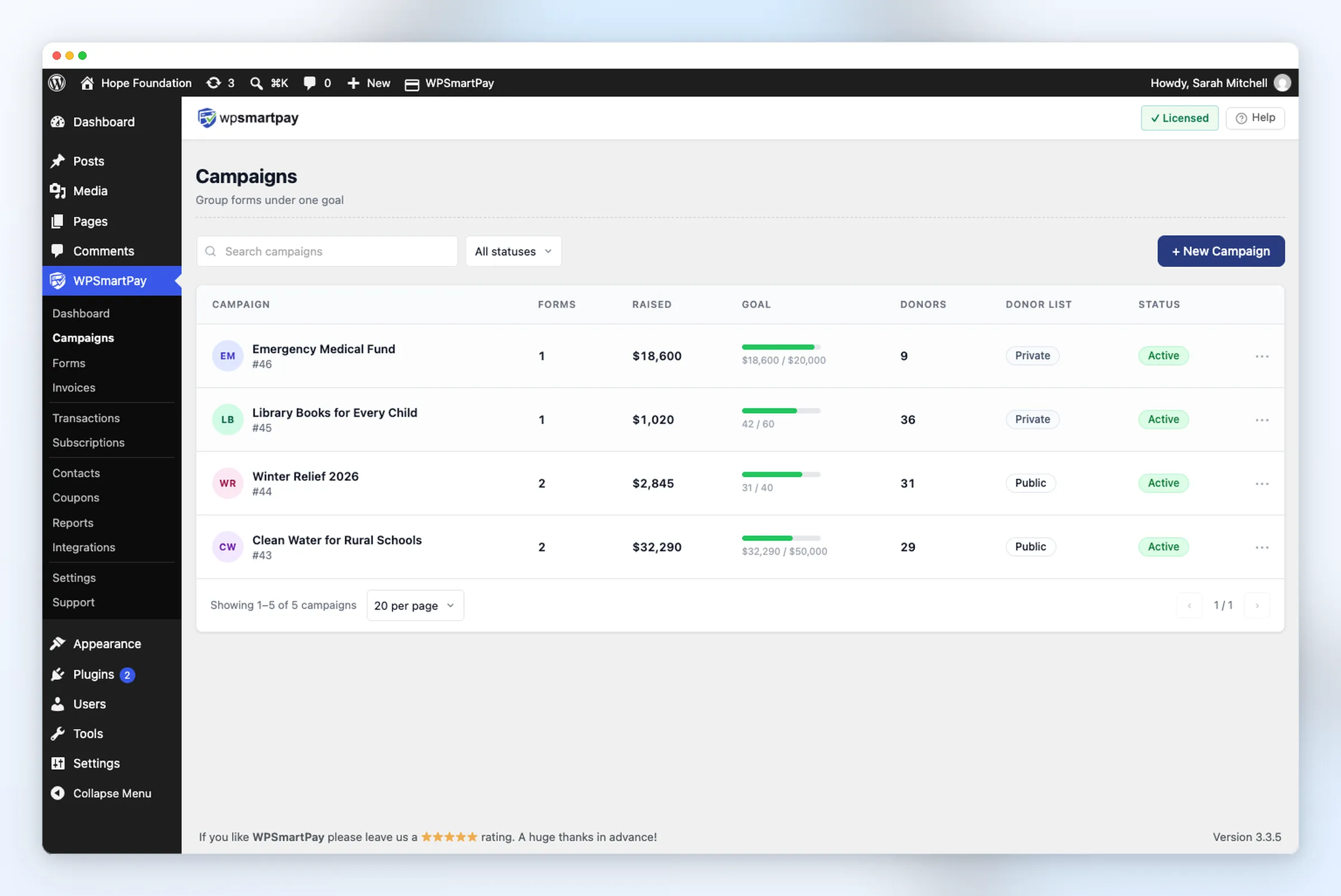
A donation campaign groups one or more donation forms under a single fundraising target. You can follow your progress from one central place.
You can set three types of goals:
- Amount raised: A set dollar target.
- Number of donations: A total count of gifts.
- Number of donors: A target number of supporters.
You can also add an end date. Once that date passes, the campaign ends automatically. You have the option to continue receiving gifts or to end them while showing a thank-you message.
Linking Multiple Forms
You can attach several forms to one campaign. Social media platforms require a basic two-field form which corporate sponsors must fill out using their extended version of the form.
The first form you attach becomes the default form. The main Donate now button on your campaign page receives its power from this system. Each attached form automatically reports to the shared campaign goal.
Public Campaign Pages
Every campaign gets its own public page at /campaign/{slug}.
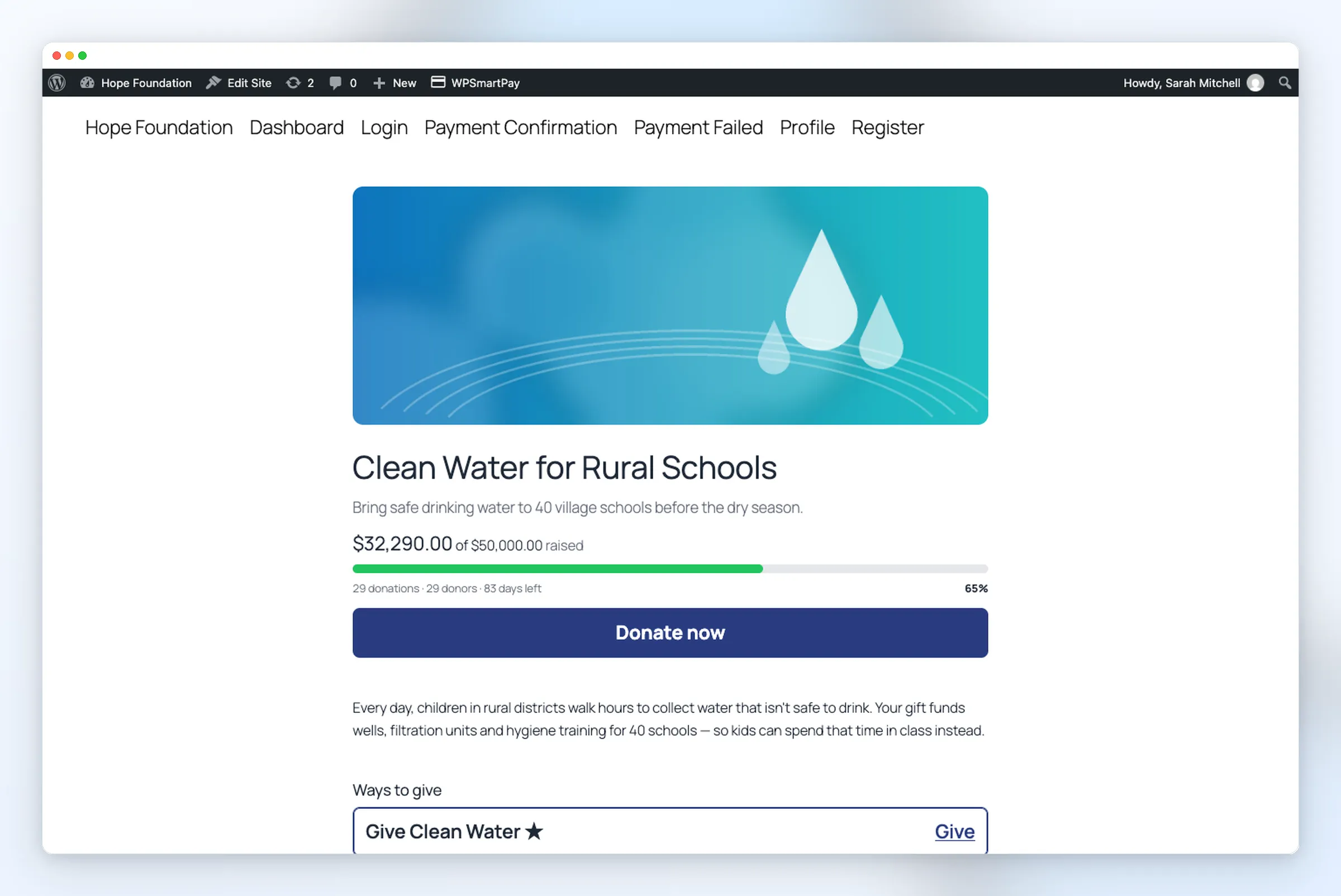
Each page includes:
- A cover image, title, and short summary.
- A live progress bar showing funds raised and time left.
- A Donate now button that jumps to the form.
- Your campaign story.
- An embedded giving form for quick checkout.
You can show the progress bar on all website pages through the [smartpay_campaign_progress id="12"] shortcode and the Campaign Progress block.
Purpose-Built Donation Form Blocks
The form editor enables users to create fundraising-specific blocks through its form editor functionality. Add them to any form, or start with the Charity Donation template.
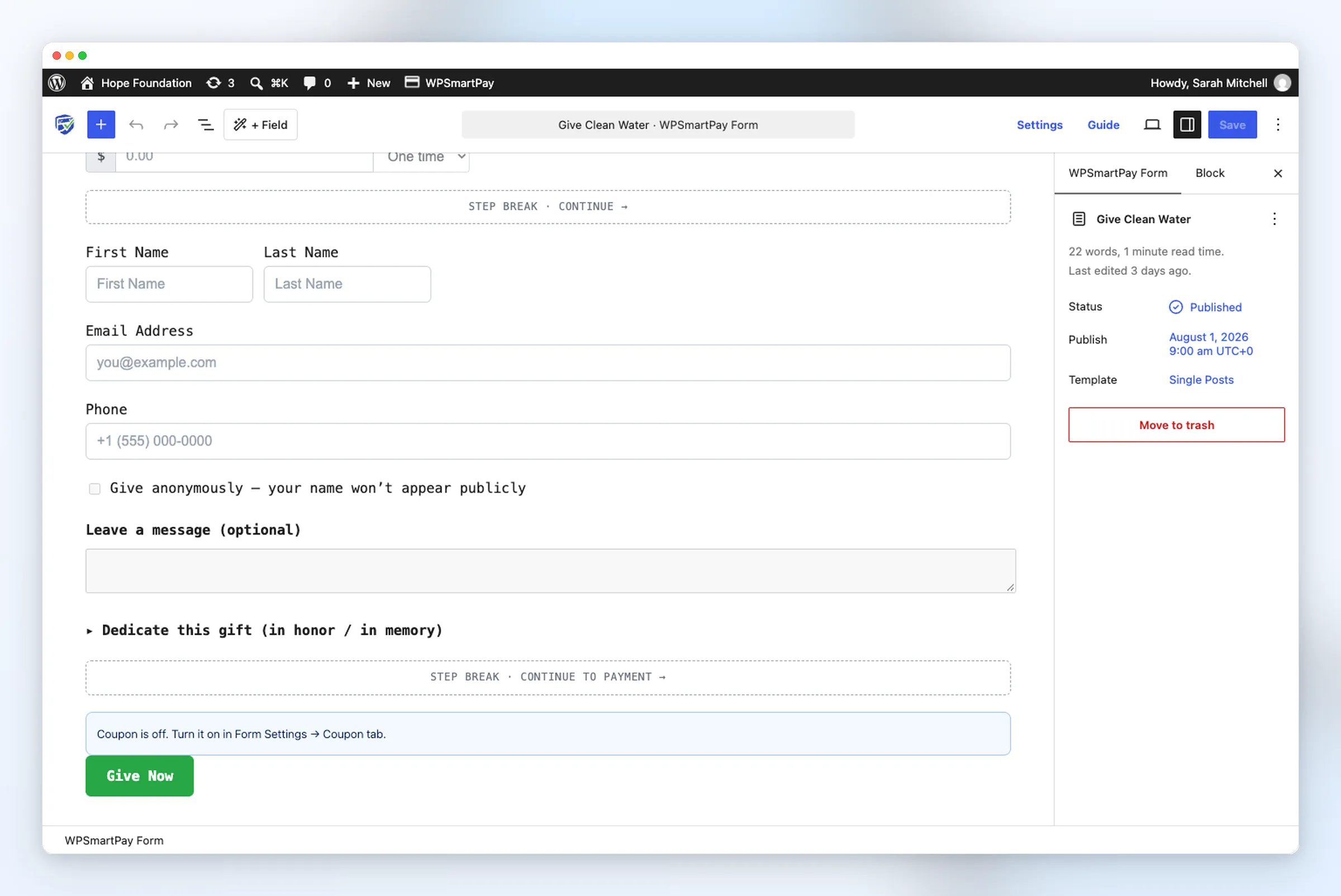
- Give Anonymously: A checkbox that hides the donor’s name on public lists. Admins can still view it in the dashboard.
- Donor Comments: A message box where supporters can leave notes up to 1,000 characters.
- Tributes (In Honor / In Memory): Lets donors dedicate their gift to someone special.
- Step Break: Splits long forms into clean steps. It adds Back and Continue buttons to make giving fast and easy.
Custom Amount Billing and Recurring Giving
Donors often want to choose their own gift amount and billing frequency.
With WPSmartPay Pro, you can turn on Let donor choose inside the Pricing block. Donors can select:
- One time
- Daily
- Weekly
- Monthly
- Yearly
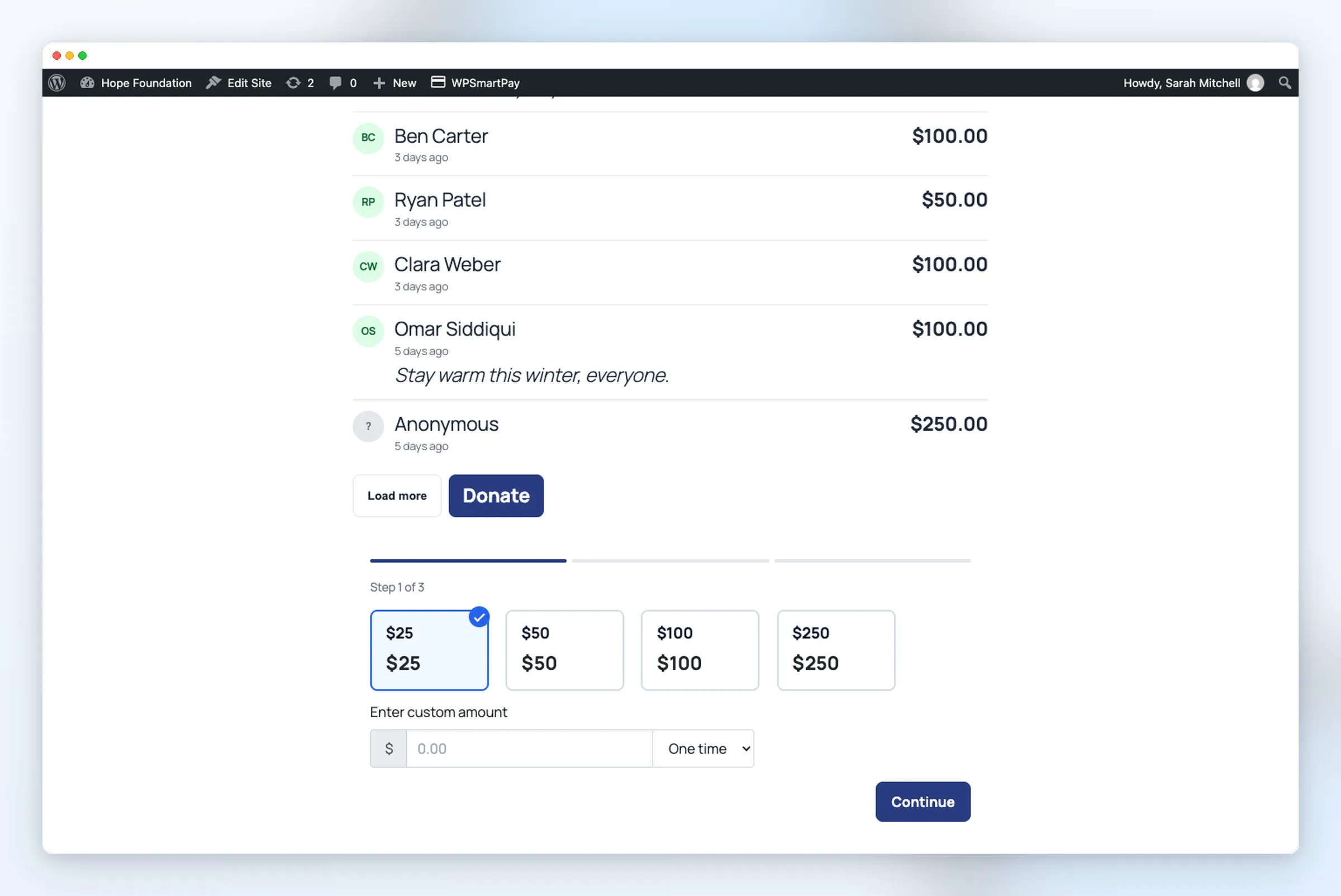
Your website displays a clean dropdown menu which appears beside the amount field.
WPSmartPay enables automatic payment renewals through your payment gateway when donors select their preferred donation schedule.
Users have the ability to establish permanent subscription levels which include a $25 monthly payment option.
Public Donor Wall with Moderation
Recognizing donors builds social proof and encourages others to give. WPSmartPay Pro includes a public donor wall directly on the campaign page.
You can switch the donor list to public in your campaign settings. Choose what visitors see:
- Donor names, amounts, dates, and avatars.
- Donor comments and tribute dedications.
- Sort by recent gifts or top donors.
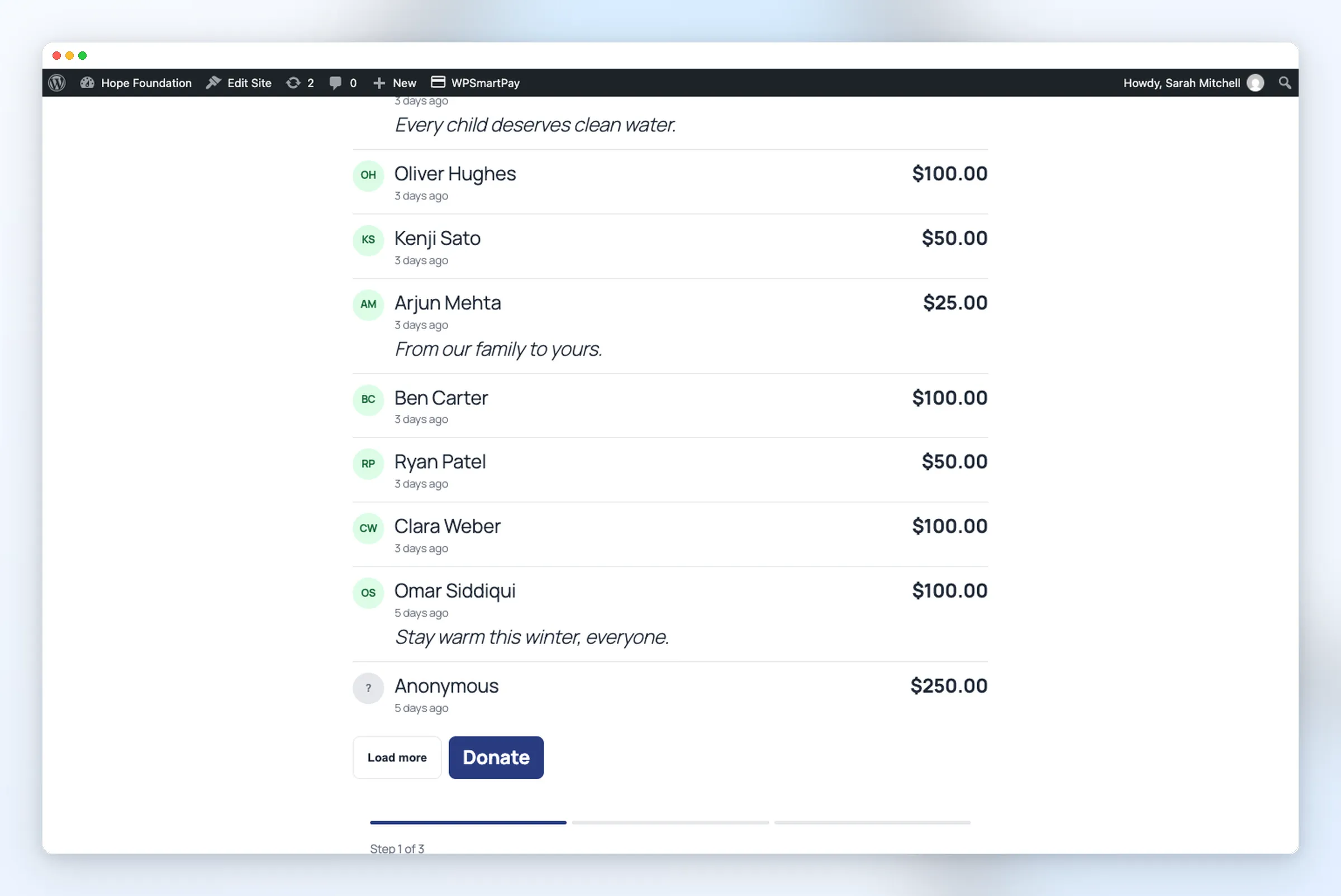
To maintain a spam-free website activate the option which requires comment approval before publication. The system holds all new comments in a waiting state until an administrator grants approval.
You can also display the donor wall on any page using the [smartpay_campaign_donors id="12"] shortcode or the Campaign Donors block.
Separate Donors and Donations Screens
The system displays two separate interfaces which show donor information and donation records.
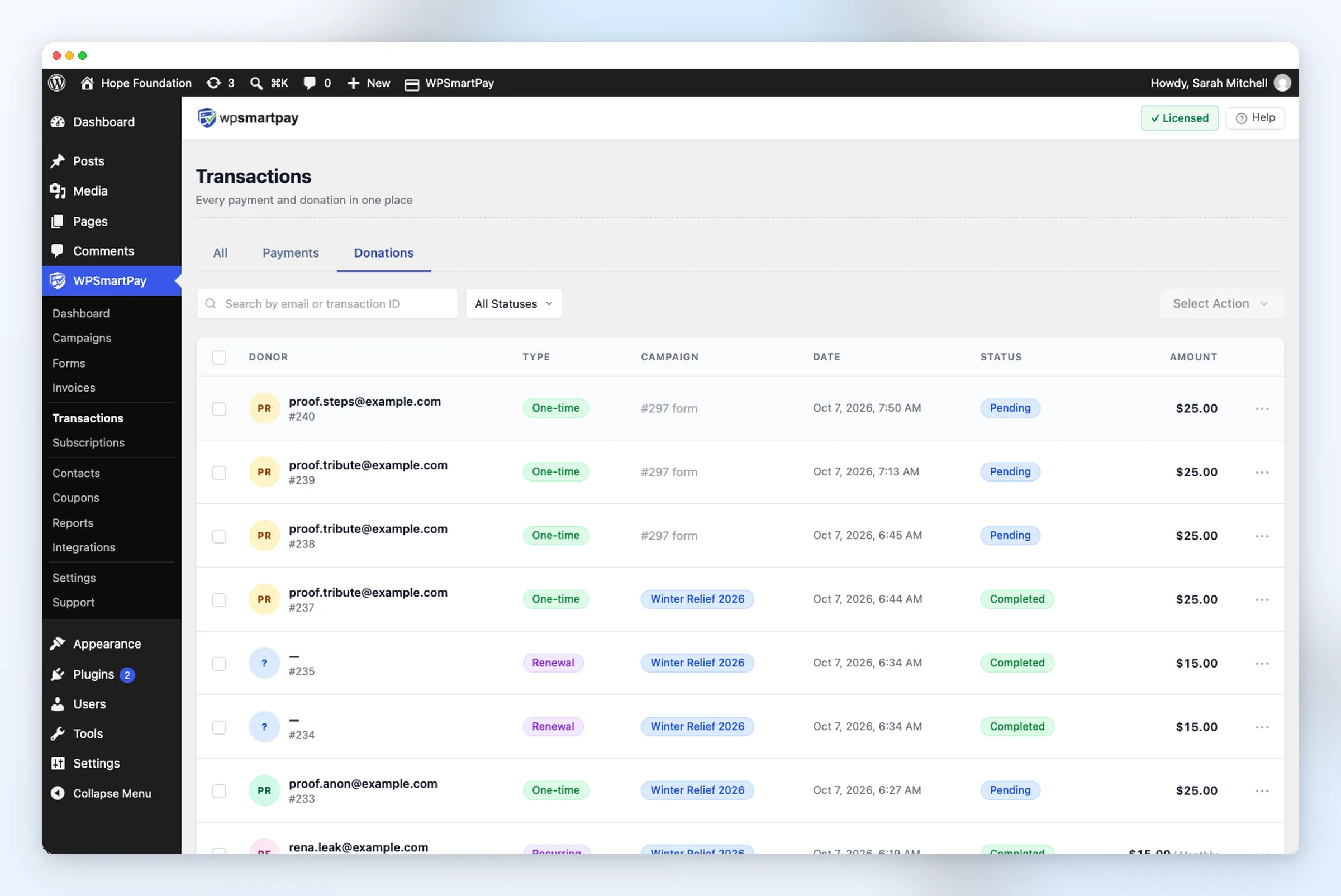
- Transactions → Donations: Shows gifts and their linked campaigns. The Payments tab shows store orders only.
- Contacts → Donors: Lists all supporters with their lifetime giving totals.
- Subscriptions → Donations (Pro): Tracks active recurring gifts and next renewal dates.
- Customer Account Giving Tab: Logged-in donors can review past gifts, download receipts, and manage recurring plans.
Campaign Reports and CSV Exports
Reviewing results helps you see which campaigns perform best.
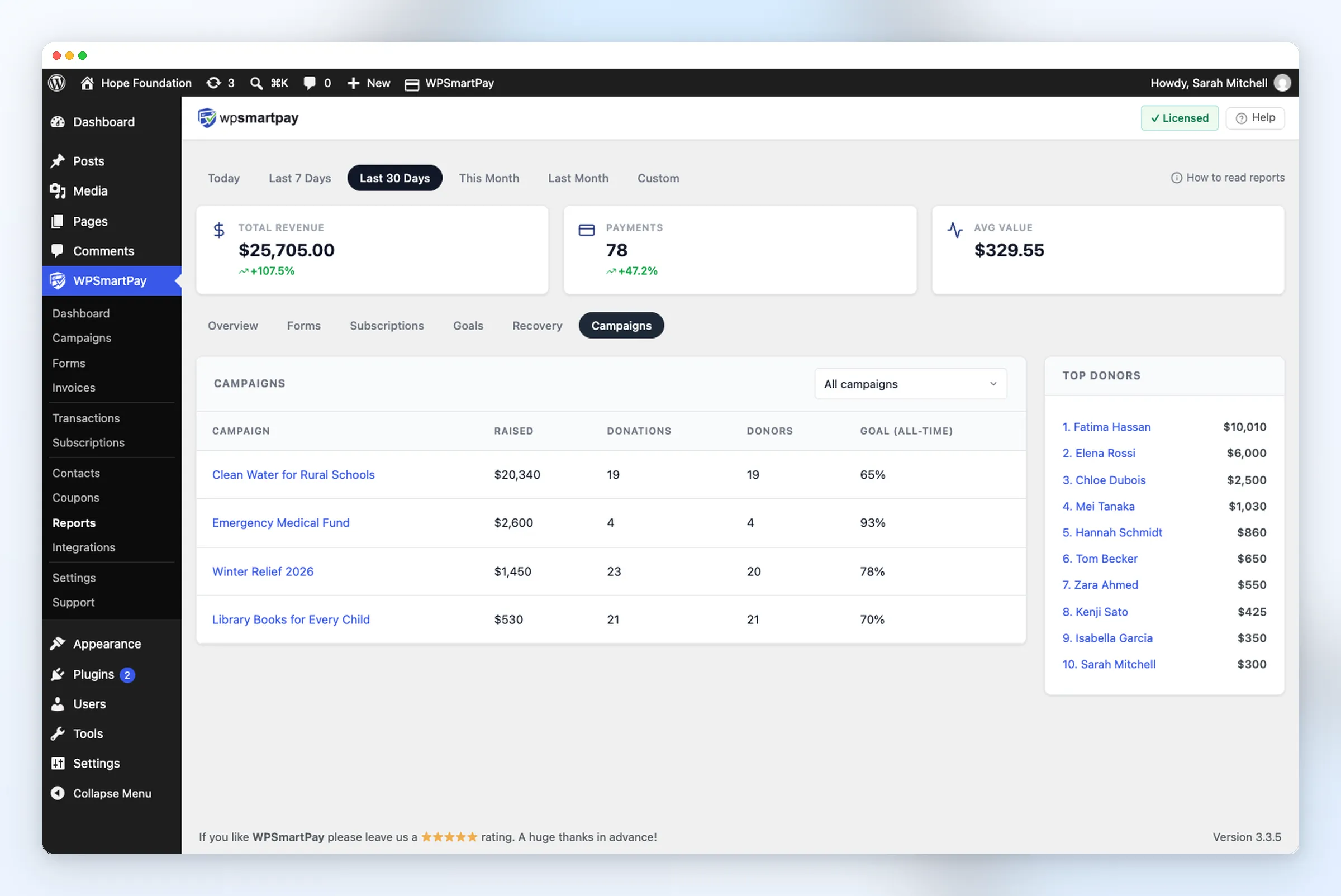
WPSmartPay Pro includes dedicated campaign reports in your dashboard:
- Total amount raised per campaign.
- Number of gifts and unique donors.
- Goal completion rate.
- Top donors for any date range.
Users must obtain donor information to create tax receipts and send emails through the Export CSV function which produces an organized spreadsheet from the Donors screen.
Getting Started
The process of starting a campaign requires only a few simple steps to complete:
- Users should select SmartPay → Campaigns before they click on the + New Campaign button to start their campaign creation process.
- Users have the option to establish their objective while they can choose to set a deadline for its achievement.
- Attach a form using the Charity Donation template.
- Publish the form and click View page to see your campaign live.
Explore our donations overview to see all supported workflows.
Campaigns, single-gift forms, and donor management are included in the free version. Recurring custom amounts, donor walls, reports, and CSV exports are available in WPSmartPay Pro.
Launch Your Donation Campaign Today
Set up fundraising goals, accept recurring gifts, and recognize donors directly from WordPress without extra plugins.