





Stripe has no official WordPress plugin — every “Stripe plugin” is a third-party integration, and they differ wildly: some are full stores, some are payment forms, some are contact-form builders with a payment field bolted on.
Picking the wrong category is the expensive mistake. Installing WooCommerce to sell one consulting package means maintaining a store you don’t have; bolting Stripe onto a contact-form plugin means discovering six months later that it can’t handle subscriptions or refunds.
Full disclosure up front: WP Smart Pay is our plugin, and it’s first on this list. But the rest of the list is honest — each of these is genuinely good at its job, and for some sites one of them is the better pick. We’ll say so when that’s true.
The Comparison at a Glance
| Plugin | What it really is | Stripe on the free tier | Platform fee | Other gateways |
|---|---|---|---|---|
| WP Smart Pay | Payment forms | No — Stripe is Pro | None | Stripe, PayPal, Mollie, Paystack, Razorpay + more |
| WP Simple Pay | Payment forms | Yes | Yes, on free | Stripe only |
| WooCommerce Stripe Gateway | Store checkout gateway | Yes | None | Needs WooCommerce |
| WPForms + Stripe | Form builder add-on | Yes | Yes, below Pro | Stripe, PayPal, Square, Authorize.Net |
| Gravity Forms + Stripe | Form builder add-on | No — paid license | None | Stripe, PayPal, Square, Mollie |
| FunnelKit Stripe Gateway | Store checkout gateway | Yes | None | Needs WooCommerce |
| Formidable + Stripe | Form builder add-on | No — paid tier | None | Stripe, PayPal, Authorize.Net |
Two columns decide most of it. “What it really is” tells you whether you’re buying a payment tool or renting a payment feature inside something else. “Platform fee” tells you whether a third party takes a slice of every sale on top of Stripe’s cut — a cost that scales with your success and is easy to miss at signup.
1. WP Smart Pay — Best for Payment Forms Without a Store
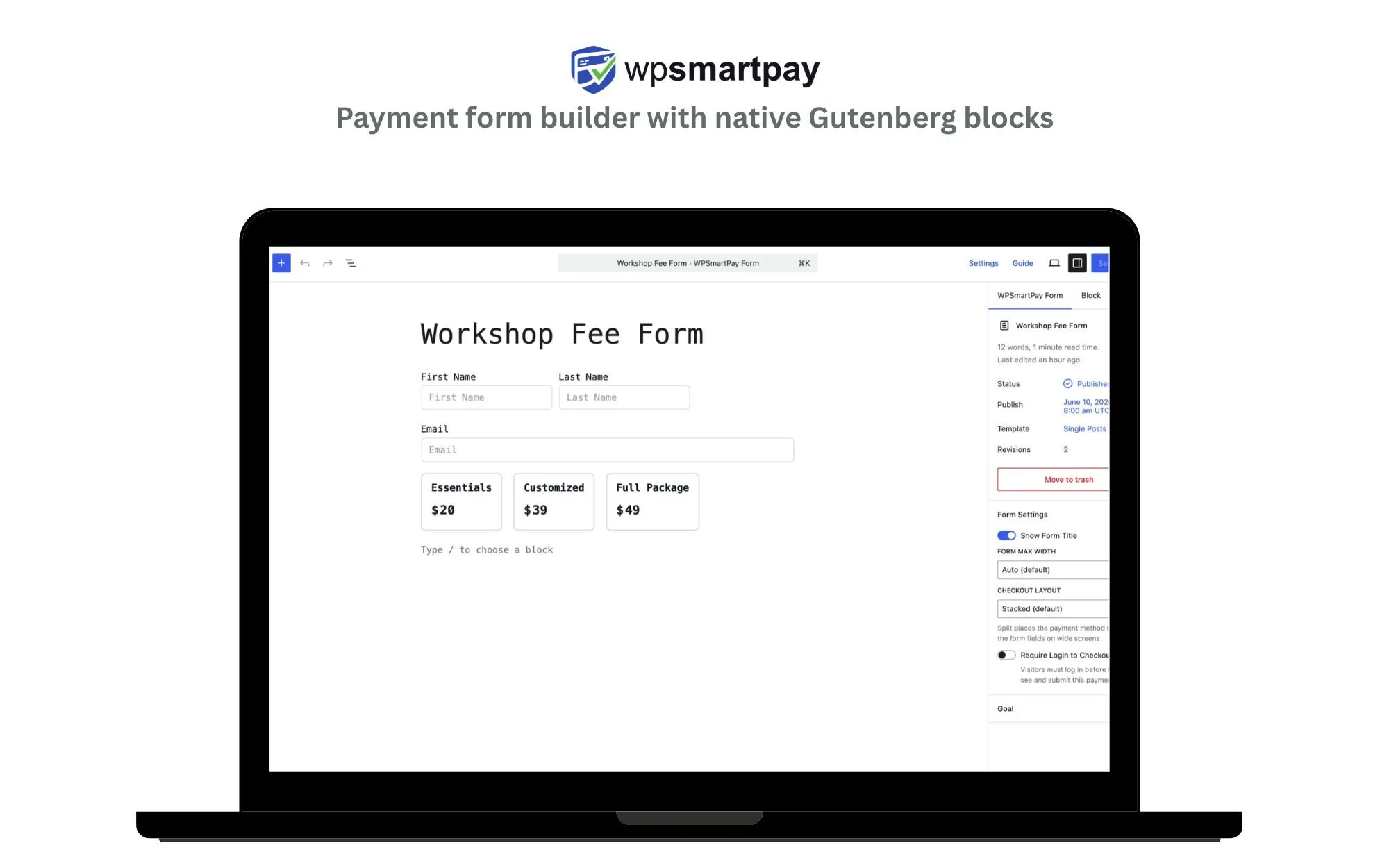
WP Smart Pay connects Stripe to WordPress with drag-and-drop Gutenberg payment forms — one-time payments, subscriptions with trials and setup fees, and donation campaigns with goals and recurring giving. No WooCommerce, no cart, no code.
Key Features
- Native Gutenberg blocks — the form builder is the WordPress editor, not a separate app
- One-time payments, subscriptions (trials, setup fees, daily to yearly), and donation campaigns
- Multi-gateway: Stripe today, PayPal, Mollie, Paystack, or Razorpay tomorrow, same forms
- Invoicing built in — create, send, and track invoices from the WordPress admin
- An MCP server and CLI, so Claude or ChatGPT can build and manage your forms from a prompt
- 150+ currencies, customer-facing subscription management, PDF receipts
Pros
- No platform fee — you pay Stripe’s standard rate and nothing to us
- Adding a second gateway doesn’t mean rebuilding your forms
- Payments, subscriptions, donations, and invoices are one system with one dashboard
- The only plugin here an AI agent can operate end to end
Cons
- Stripe lives in the Pro version — the free plugin ships with PayPal Standard
- The newest plugin on this list, so the community and tutorial ecosystem is small next to WPForms or WooCommerce
- No shopping cart — if you need multi-item carts and shipping rules, this is the wrong shape
Best For
Consultants, creators, membership sites, and nonprofits selling a handful of things — where the payment form is the product page and a store would be overhead.
Take Stripe payments without a store
Drag-and-drop payment forms, subscriptions, and donations on any WordPress page — no WooCommerce, no cart, no platform fee.
2. WP Simple Pay — Best Stripe-Only Specialist
The veteran of Stripe payment forms. If you’re certain you’ll only ever use Stripe, its single-processor focus shows in the details — including easy access to Stripe’s buy-now-pay-later methods.
Key Features
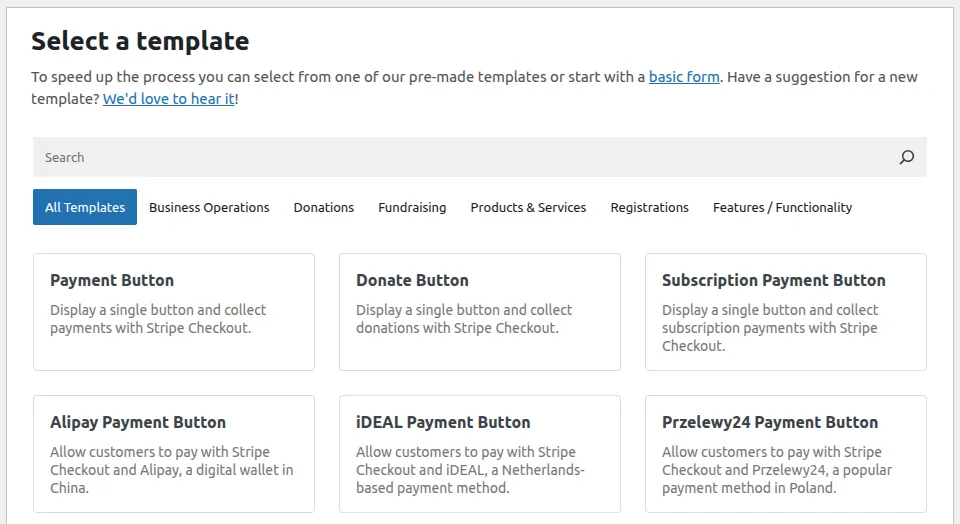
- Purpose-built Stripe payment forms with a solid template library
- Buy-now-pay-later methods (Klarna, Affirm, Afterpay) surfaced as first-class options
- Subscriptions, installment plans, and customer-chosen amounts
- Stripe Checkout and on-site payment form modes
- Rated 88% from 117 reviews on wordpress.org (August 2026)
Pros
- Deep, focused Stripe support — nothing is filtered through a gateway abstraction
- Free version genuinely accepts live Stripe payments
- Long track record and mature documentation
Cons
- The free tier adds a platform fee to every transaction; you pay to remove it
- Stripe only — no PayPal for the customers who insist on it, no regional gateways
- No donation campaigns, no invoicing, no AI-agent control
Best For
Sites that will use Stripe and only Stripe, forever, and want BNPL options front and center.
3. WooCommerce Stripe Payment Gateway — Best for Stores
If you run a WooCommerce store, this is the default answer — the official gateway supports cards, wallets, and local payment methods inside the standard checkout flow.

Key Features
- Official Stripe-maintained gateway for WooCommerce
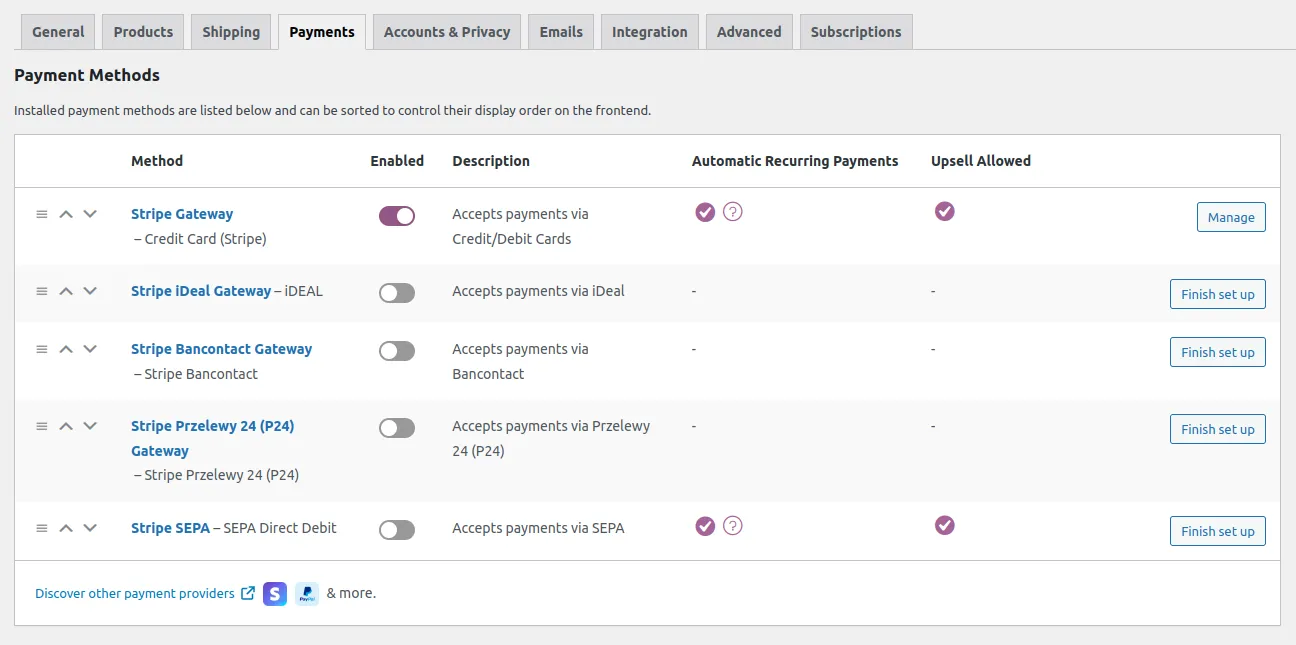
- 20+ payment methods including wallets, BNPL, and local European methods
- Stripe Link one-click checkout and Stripe Radar fraud detection
- Works with WooCommerce Subscriptions for recurring billing
- 700,000+ active installs
Pros
- Free, official, and the best-tested path for a real store
- Broadest payment-method coverage of anything on this list
- Fraud tooling and dispute handling inherited straight from Stripe
Cons
- Rated just 62% from 235 reviews on wordpress.org (August 2026) — the lowest score here, with recurring complaints about upgrade regressions and checkout edge cases
- Useless without WooCommerce; it is not a payment-form plugin at all
- Setting up a store to sell one service is significant overhead
Best For
Sites with a real product catalog — cart, shipping, inventory. If that’s not you, the store is the tax you pay for the gateway.
4. WPForms + Stripe — Best if You Already Own WPForms
WPForms is the most-installed form builder on WordPress (5 million+ active installs, 96% from over 14,000 reviews), and its Stripe integration lets you add payment collection to any form.
Key Features
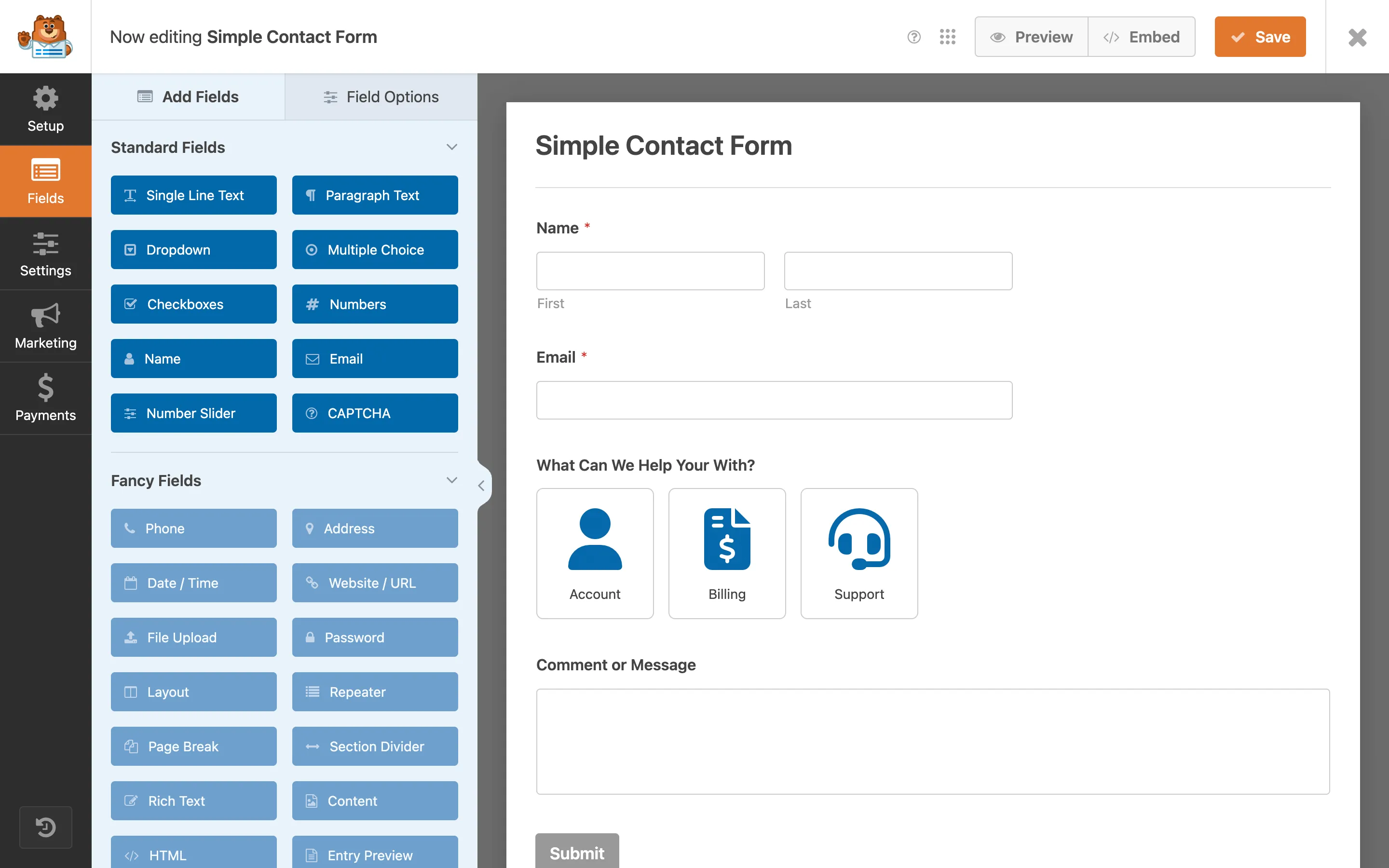
- Drag-and-drop builder with hundreds of templates
- Stripe payment field addable to any existing form
- Conditional logic, multi-page forms, and entry management
- Also supports PayPal, Square, and Authorize.Net on higher tiers
Pros
- Exceptional form-building experience — the best pure builder in this comparison
- If WPForms is already installed, adding payments is a few clicks
- Huge community, endless tutorials, mature support
Cons
- A platform fee applies on the free and lower tiers, on top of Stripe’s rate; only the Pro tier removes it
- Payments are a feature, not the product — subscription management, payment reporting, and refund tooling are thin
- No donation campaigns or invoicing
Best For
Sites already running WPForms that need to collect the occasional payment inside a form — event RSVPs, order requests, deposits.
5. Gravity Forms + Stripe Add-On — Best for Complex Form Logic
Gravity Forms is the power-user form platform, and its Stripe add-on inherits that: conditional logic, multi-page forms, and developer hooks around payments. It’s commercial software, sold only from gravityforms.com rather than the wordpress.org directory.
Key Features
- Deep conditional logic, calculations, and multi-page workflows
- Stripe add-on supports one-time payments, subscriptions, and trials
- Extensive developer hooks and a well-documented API
- Also integrates PayPal, Square, and Mollie
Pros
- The most capable form logic engine of anything here
- No platform fee on transactions
- Built for developers handing off to clients
Cons
- The Stripe add-on requires a higher license tier — expensive if payments are all you need
- No free tier at all
- Same structural limit as the other builders: payments bolt onto a form, they aren’t the core
Best For
Genuinely complex payment forms — conditional pricing, registration workflows, applications with calculated fees.
6. FunnelKit Stripe Gateway — Best for WooCommerce Funnels
FunnelKit’s Stripe gateway targets WooCommerce stores optimizing checkout — express payment buttons and one-click upsells within its funnel ecosystem. Rated 98% from 52 reviews on wordpress.org.
Key Features
- Express checkout buttons (Apple Pay, Google Pay) higher in the funnel
- One-click post-purchase upsells that charge the saved card without re-entry
- Smart routing and optimized checkout flows in the FunnelKit ecosystem
- Free gateway plugin; the funnel builder itself is the paid product
Pros
- Measurably better checkout conversion than a stock WooCommerce flow
- No platform fee
- Excellent ratings from its (smaller) user base
Cons
- WooCommerce-dependent, like the official gateway
- Only pays off if you actually build funnels — otherwise it’s added complexity
- Narrower payment-method coverage than the official Stripe gateway
Best For
WooCommerce stores already building sales funnels with FunnelKit and chasing checkout conversion.
7. Formidable Forms + Stripe — Best for Data-Heavy Forms
Formidable positions itself as the form plugin for applications and calculators, and its Stripe integration fits collecting payment alongside rich data entry. 300,000+ installs at 96% from nearly 1,400 reviews.

Key Features
- Calculated fields and pricing logic — quotes, estimators, tiered fees
- Views for displaying submitted data back on the front end
- Stripe payments tied to calculated totals
- Repeatable fields and relational data
Pros
- Best-in-class for forms where the data is the point and payment is the last step
- Calculation engine handles pricing logic other builders can’t
- No platform fee on paid tiers
Cons
- Stripe requires a paid tier
- Steeper learning curve than WPForms
- Payment reporting and subscription management remain thin
Best For
Applications, bookings, and calculators — where the form computes what to charge before it charges it.
What Stripe Itself Costs
Whatever plugin you choose, Stripe’s own pricing is the same: 2.9% + 30¢ per successful US card charge, with extra for international cards and currency conversion. A platform fee from a plugin stacks on top of that — at 3%, a $50,000 year hands someone $1,500 for software you already paid for.
Run your own numbers through the payment gateway fees calculator — it compares Stripe against 11 other processors on a real sale.
Frequently Asked Questions
Do I need WooCommerce to use Stripe on WordPress? No. WooCommerce is one route, built for stores with carts and shipping. For payment forms, subscriptions, and donations, a dedicated Stripe payment plugin is simpler and faster to set up.
Which Stripe plugins charge a platform fee? WP Simple Pay’s free tier and WPForms’ free and lower tiers add a per-transaction fee on top of Stripe’s rate. WP Smart Pay, the official WooCommerce gateway, FunnelKit, Gravity Forms, and Formidable do not.
Can I accept recurring payments? Yes, with WP Smart Pay, WP Simple Pay, Gravity Forms, Formidable, or WooCommerce plus WooCommerce Subscriptions. Check whether recurring is included in the tier you’re buying — it often isn’t on entry-level plans.
Is any of this PCI compliant? All of these route card entry through Stripe’s hosted fields or Stripe Checkout, so card numbers never touch your server. Your site still needs HTTPS.
The Decision in One Paragraph
Run a store? WooCommerce Stripe Gateway (add FunnelKit if you’re funnel-building). Already own WPForms, Gravity, or Formidable and need one payment field? Use their add-on and check the fee schedule first. Everyone else — services, digital products, memberships, donations — wants a dedicated payment-form plugin: WP Simple Pay if you’re Stripe-only forever and don’t mind the free-tier fee, WP Smart Pay if you want the same job done with more gateways, built-in donations and invoicing, and an AI agent that can run the whole thing.
Plugin ratings and install counts cited above are from wordpress.org, August 2026.
Ready to connect Stripe to WordPress?
One plugin for payment forms, subscriptions, donations, and invoices — across Stripe, PayPal, Mollie, Paystack, and more, with no cut taken from your sales.