





Every donation plugin demo looks the same: a pretty form, a progress bar, a thermometer filling up. The real differences hide in three questions donors never see:
- Who takes a cut? Some plugins and platforms charge a percentage of every gift on their free tiers.
- What does recurring giving cost? Monthly donors are worth several times a one-time gift — and several plugins lock recurring behind paid add-ons.
- Where does donor data live? On your site, or on someone else’s platform?
Disclosure before the list: WP Smart Pay is our plugin and it leads the list — but the entries below it are genuinely excellent tools, GiveWP and Charitable in particular, and we say plainly where they beat us.
The Comparison at a Glance
| Plugin | Platform fee on gifts | Recurring giving | Donor data | Also sells non-donations |
|---|---|---|---|---|
| WP Smart Pay | None | Included in Pro | Your site | Yes — products, tickets, subscriptions |
| GiveWP | On the free tier | Paid add-on | Your site | No |
| Charitable | None | Paid add-on | Your site | No |
| Donorbox | Yes, reduced on paid plans | Included | Donorbox’s servers | No |
| Donation Platform for WooCommerce | None | Included | Your site | Yes — via WooCommerce |
| WPForms | Below Pro tier | Paid tier | Your site | Yes — any form |
| Donations via PayPal | None | No | PayPal | No |
| Paymattic | None | Paid tier | Your site | Yes — payment forms |
1. WP Smart Pay — Best All-in-One (Donations + Payments)
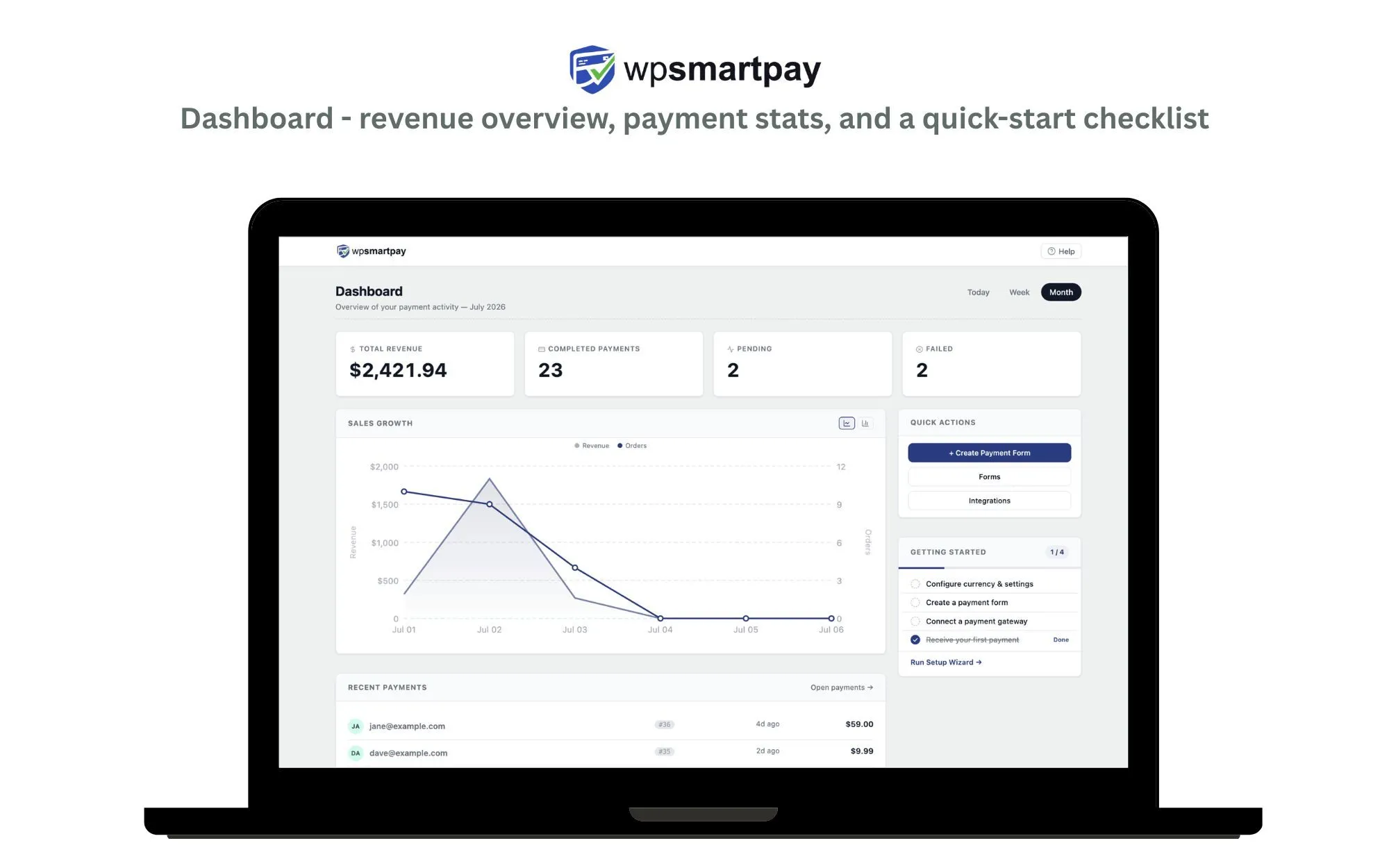
WP Smart Pay’s donation toolkit covers the full fundraising loop: campaigns with goals and progress bars, suggested and custom amounts, recurring giving, donor management, and automatic PDF receipts — with gifts settling directly into your own Stripe, PayPal, Mollie, or Paystack account.
Key Features
- Campaigns with goals, progress bars, and suggested or donor-chosen amounts
- Recurring giving included in Pro — daily through yearly, with self-serve donor management
- Donor records and automatic PDF receipts
- 150+ currencies with regional gateways (Paystack, Razorpay, Mollie) alongside Stripe and PayPal
- One plugin for donations and tickets, memberships, merchandise, and course fees
- MCP server so Claude or ChatGPT can launch a campaign from a prompt
Pros
- No platform fee — you pay only your gateway’s processing rate
- Organizations that both fundraise and sell don’t need a second commerce plugin
- Genuinely global gateway coverage, not US-centric
- Donor data stays on your site
Cons
- GiveWP’s ecosystem of fundraising-specific add-ons (peer-to-peer, text-to-give, tributes) is deeper
- Stripe is a Pro gateway; the free version ships with PayPal Standard
- The newest plugin here — smaller community and fewer nonprofit-specific tutorials
Best For
Organizations that fundraise and sell something — churches taking tithes and retreat fees, food banks selling gala tickets, creators taking tips and selling courses.
Run donations and everything else from one plugin
Campaigns with goals, recurring giving, donor records, and automatic PDF receipts — with no platform fee taken from your gifts.
2. GiveWP — Best Fundraising-Specific Ecosystem
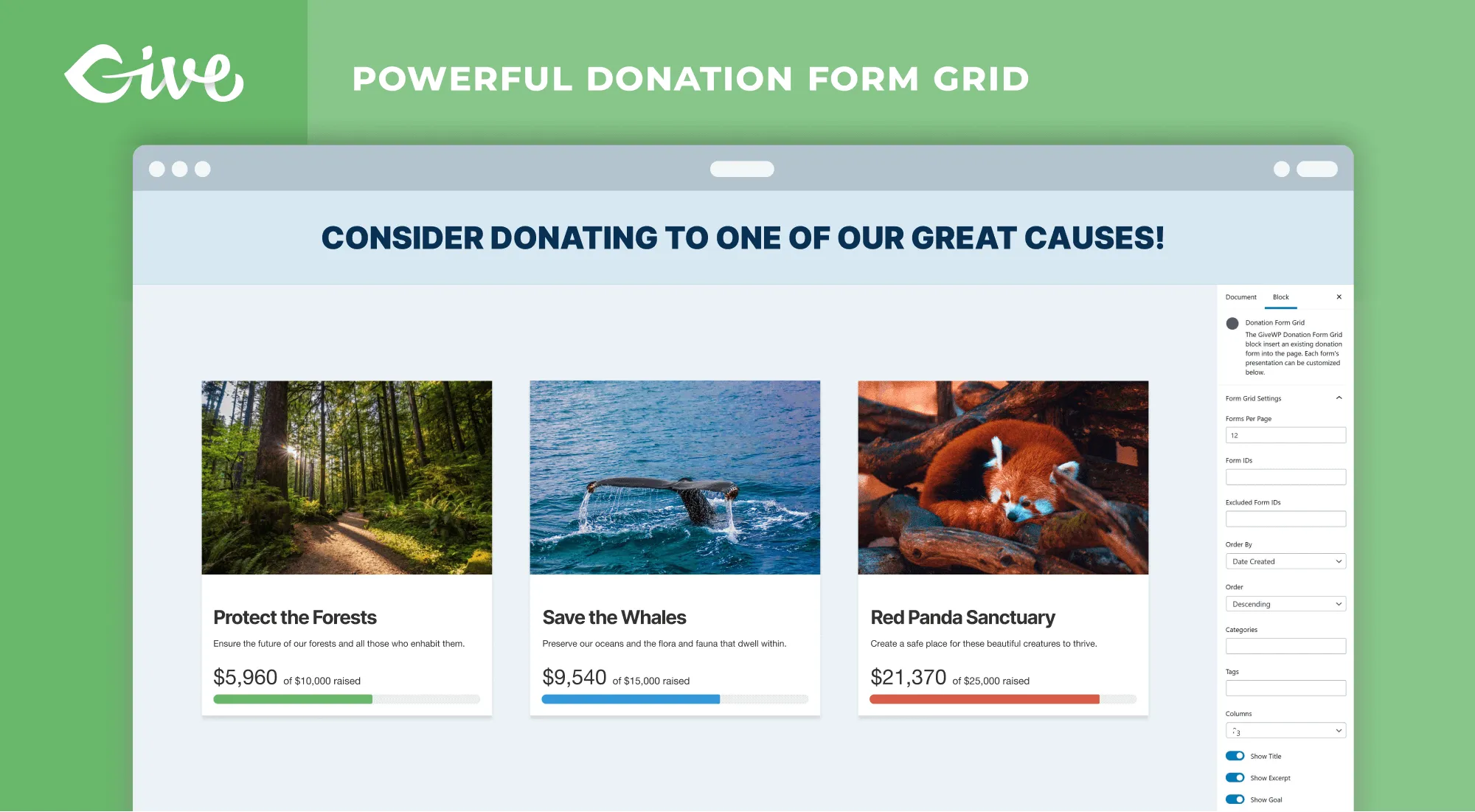
GiveWP is the category leader: 100,000+ active installs, a decade of development, and add-ons for nearly every fundraising pattern — peer-to-peer campaigns, fee recovery, tributes, text-to-give. Rated 92% from over 700 reviews.
Key Features
- The deepest fundraising add-on catalog on WordPress
- Multi-step and multi-form donation flows with a visual form builder
- Donor management, tributes, dedications, and a donor wall
- Fee recovery — ask donors to cover processing costs
- Peer-to-peer and text-to-give available as add-ons
Pros
- The free core is genuinely capable for one-time donations
- Fundraising features nothing else on this list matches
- The most-trodden path: abundant tutorials, agencies, and community support
Cons
- Recurring donations are a paid add-on or bundle, not core — and monthly donors are the point
- The free tier adds a platform fee per gift
- Donations only: if your organization sells anything, you’ll run WooCommerce alongside it, and the annual bundle total climbs fast
Best For
Organizations where fundraising is the entire online presence and the deep add-on catalog will actually get used. (Weighing the two? See our detailed GiveWP alternative comparison.)
3. Charitable — Best Free Core for Small Nonprofits
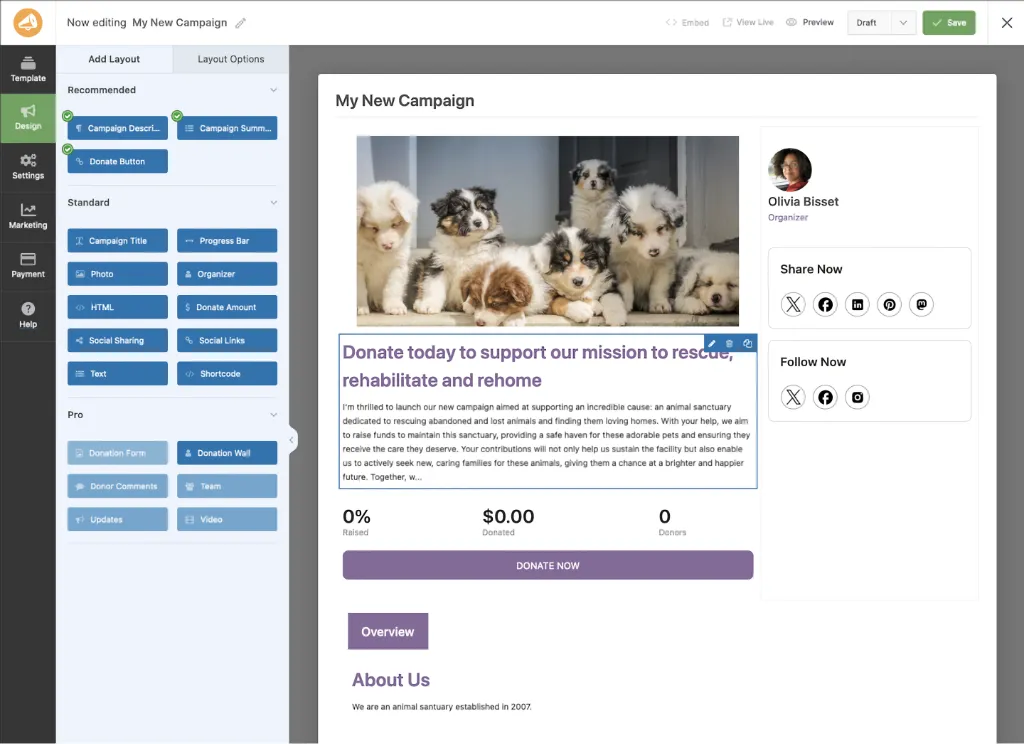
Charitable’s pitch is fundraising without platform fees, and its free version covers unlimited campaigns with a clean setup. Rated 98% from 214 reviews — the highest-rated dedicated donation plugin on wordpress.org.
Key Features
- Visual drag-and-drop campaign builder with prebuilt templates
- Unlimited campaigns on the free version
- No platform fee at any tier
- Donor dashboard, campaign reporting, and receipting
Pros
- The most generous genuinely-free core here for one-time campaigns
- Excellent ratings and an actively maintained codebase
- No fee skimmed off gifts, ever
Cons
- Recurring donations require a paid add-on
- Marketing and CRM integrations are also add-ons
- Donations only — no product sales
Best For
Small nonprofits that need solid one-time donation campaigns for free, today, without a platform cut.
4. Donorbox — Best Hosted Option
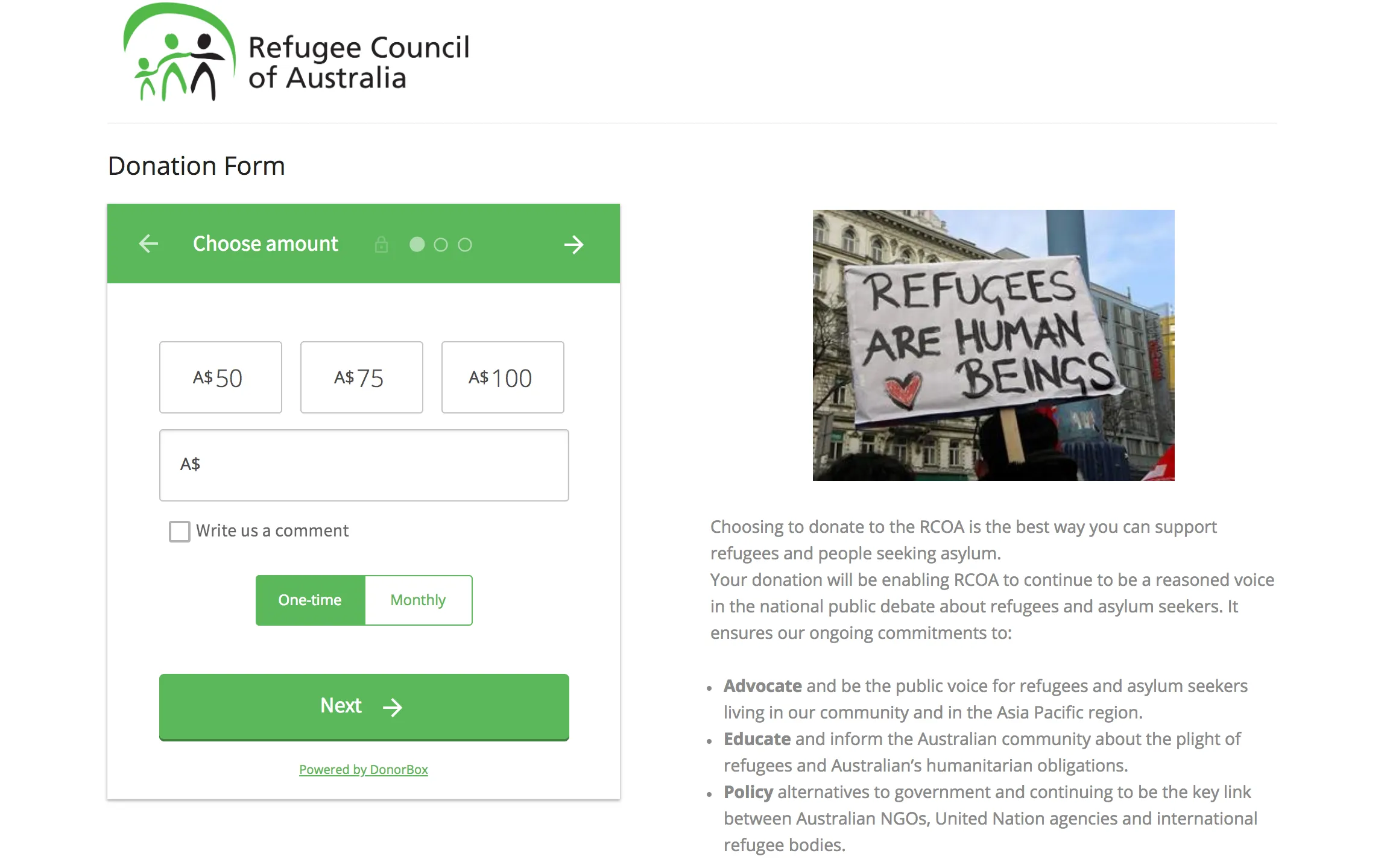
Donorbox isn’t really a WordPress plugin — it’s a hosted donation platform you embed in WordPress. That’s its strength and its cost.
Key Features
- Hosted donation forms embedded via a WordPress plugin
- Strong recurring-giving UX, widely credited with good monthly conversion
- Donor management, text-to-give, and crowdfunding on the platform side
- Nothing to maintain, patch, or update on your server
Pros
- Fastest setup of anything here — minutes, not an afternoon
- Genuinely excellent recurring donation experience
- No plugin conflicts or WordPress maintenance burden
Cons
- Platform fees on donations, reduced but not eliminated on paid plans
- Your donor experience and data live on Donorbox’s infrastructure, not yours
- The WordPress plugin itself was last updated in June 2025 and is only tested to WordPress 6.8 — it lags well behind the platform it embeds
Best For
Organizations that want zero maintenance, value the recurring UX, and accept both the platform fee and the data trade.
5. Donation Platform for WooCommerce — Best for WooCommerce Sites
If your organization already runs a WooCommerce store, this free, open-source plugin turns it into a fundraising system. Rated 98% from 99 reviews.

Key Features
- Turns WooCommerce into a donation system with campaigns and goals
- Recurring donations included, free
- No platform fees
- Inherits every WooCommerce payment gateway and reporting tool
Pros
- Recurring giving free, which almost nothing else here offers
- Fully open source with no upsell path
- If WooCommerce is staying anyway, this is close to zero marginal cost
Cons
- Requires WooCommerce — significant overhead if you don’t already run it
- The donor experience is WooCommerce-shaped: a checkout, not a donation form
- Less frequently updated than the leaders (last release February 2026)
Best For
Organizations where WooCommerce is already installed and staying.
6. WPForms — Best Casual Donation Form
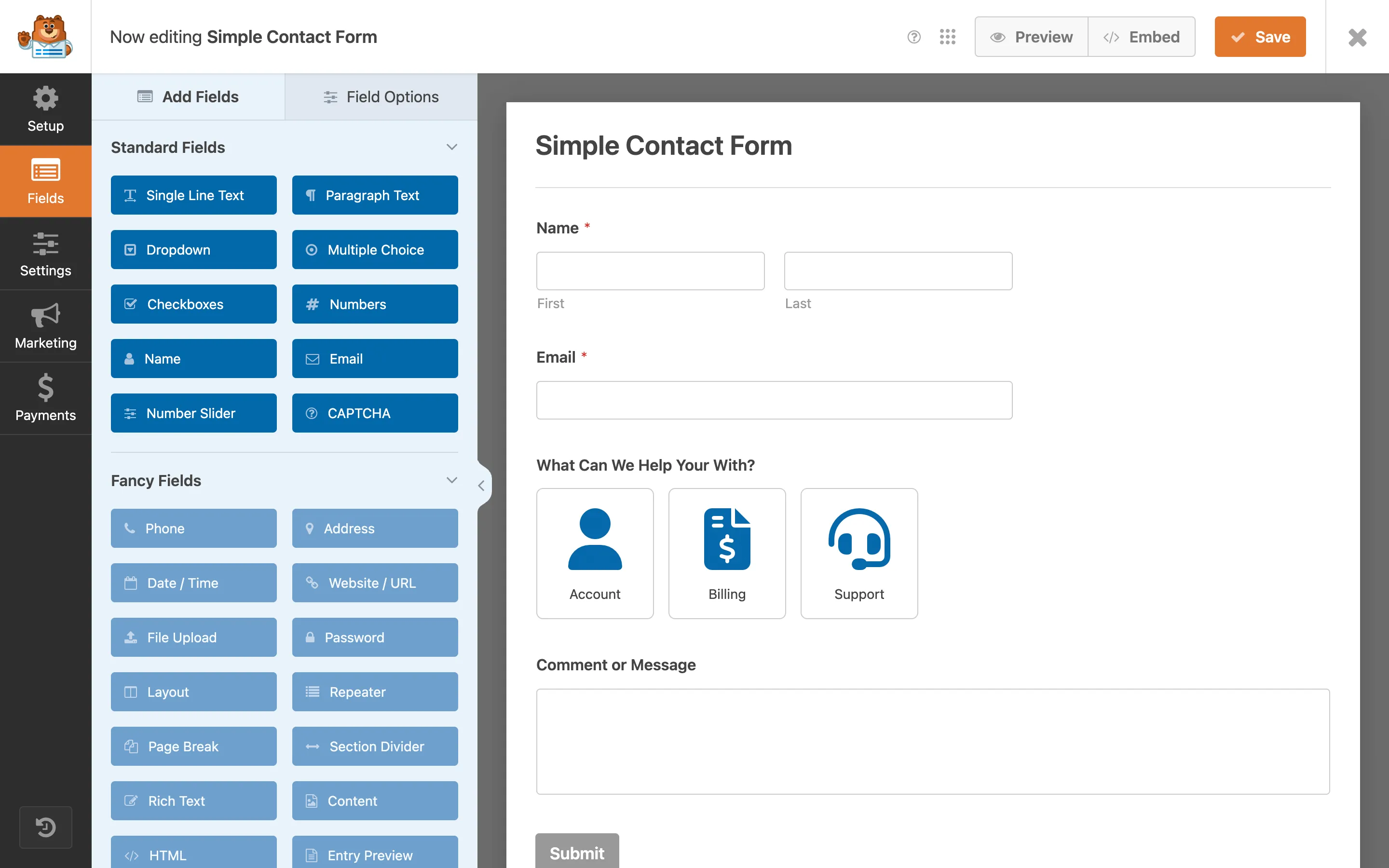
If you already own WPForms and donations are occasional rather than central, its Stripe and PayPal payment fields make a perfectly serviceable donation form.
Key Features
- Donation form templates with suggested-amount and custom-amount fields
- Stripe, PayPal, Square, and Authorize.Net payment fields
- Conditional logic and entry management
- The same builder you already use for contact forms
Pros
- Zero new plugins if WPForms is already installed
- The best form-building experience on this list
- Enormous support community
Cons
- No campaign goals, no donor management, no receipts — it’s a form, not a fundraising system
- A platform fee applies to payments below the Pro tier
- No recurring giving without a higher tier
Best For
Sites where donations are a side feature and WPForms is already installed.
7. Donations via PayPal — Best Minimalist Free Option
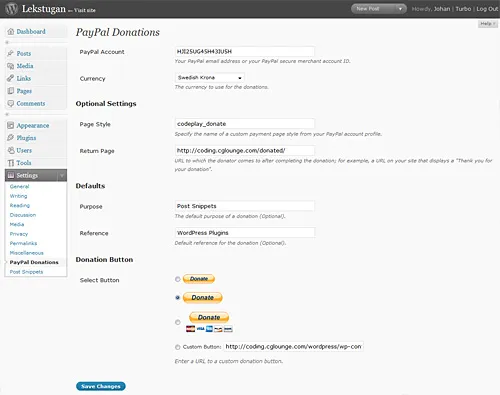
Sometimes the requirement really is one Donate button. This long-running free plugin does exactly that and nothing else — 20,000+ active installs, 94% rating, and still maintained against current WordPress.
Key Features
- A PayPal donate button via shortcode or widget
- Preset or donor-entered amounts
- Configurable currency, purpose, and reference fields
- No account, subscription, or upsell
Pros
- Free, tiny, and genuinely simple
- Nothing to learn — configure once and forget it
- No platform fee beyond PayPal’s own processing rate
Cons
- No recurring giving, no campaigns, no donor records, no receipts
- PayPal only, and the donor leaves your site to complete the gift
- Dated admin UI
Best For
Small sites, clubs, and personal projects that need a Donate button and nothing more.
One to avoid: Seamless Donations still appears on “best donation plugin” lists, but its wordpress.org listing is now literally titled “Seamless Donations is Sunset.” It was last updated in March 2024 and is only tested to WordPress 6.4. Don’t install it on a live site — use Donations via PayPal above for the same minimalist job.
8. Paymattic — Best Form-First Alternative
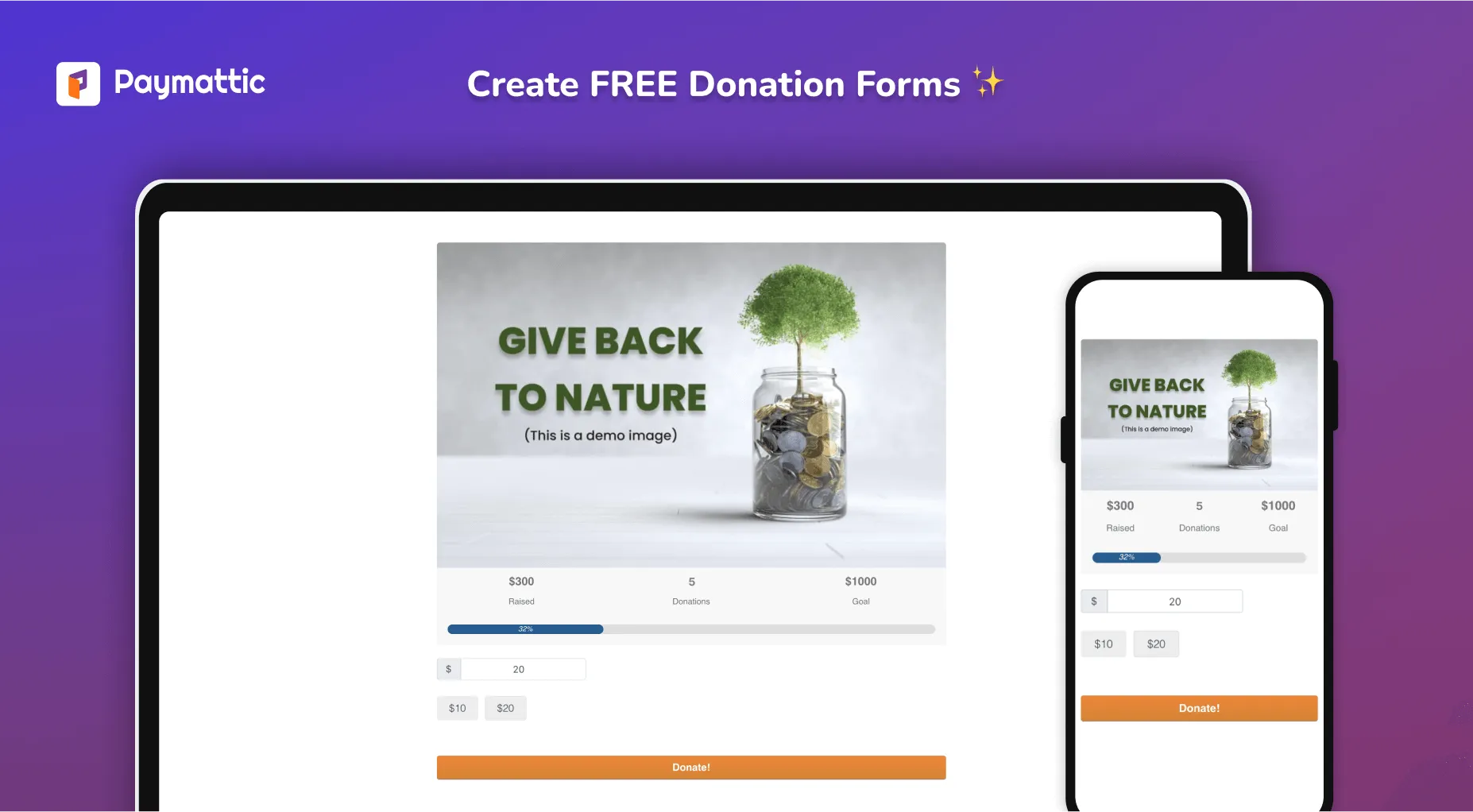
Paymattic (from the Fluent plugin family) blends form building with payments and donations, with a generous free tier. Rated 96% from 44 reviews.
Key Features
- Donation forms with progress bars on the free tier
- Doubles as a general payment-form builder for non-donation revenue
- Stripe, PayPal, Mollie, Paystack, and Razorpay
- Donor and customer management in one place
Pros
- Free tier includes donation forms with progress tracking
- Handles both donations and payments, like WP Smart Pay
- Fits naturally if you already run FluentCRM or Fluent Forms
Cons
- Less campaign-centric than GiveWP or Charitable — closer to a form builder with donation features
- Recurring donations require a paid tier
- Smallest install base of the actively maintained options here
Best For
Organizations that want a form-builder feel with donation support, especially inside the Fluent ecosystem.
How to Actually Choose
Ask the three questions from the top:
- Platform fees: Donorbox, GiveWP’s free tier, and WPForms below Pro take a percentage. WP Smart Pay, Charitable, the WooCommerce option, Paymattic, and Donations via PayPal don’t — you always pay the gateway’s processing rate.
- Recurring giving: included with WP Smart Pay Pro, Donorbox, and Donation Platform for WooCommerce; a paid add-on for GiveWP and Charitable; unavailable in Donations via PayPal.
- Data ownership: everything here keeps donor data on your site except Donorbox.
And one question the demos never raise: do you only fundraise? If your organization also sells — tickets, courses, merch, memberships — a donations-only plugin means running two payment systems.
Frequently Asked Questions
What’s the cheapest way to take donations on WordPress? Charitable’s free core or Donations via PayPal cost nothing beyond your gateway’s processing rate. Watch for plugins whose free tier adds a platform fee per gift — that’s often more expensive than a paid license once you’re raising real money.
Do I need a nonprofit status to use these? No. Every plugin here works for individuals, clubs, churches, and campaigns. Some payment processors offer discounted nonprofit rates if you have 501(c)(3) or equivalent status — that’s a gateway question, not a plugin one.
Which plugin is best for recurring monthly donors? Donorbox has the most refined recurring UX; WP Smart Pay Pro and Donation Platform for WooCommerce include recurring without an add-on purchase. With GiveWP or Charitable, price the recurring add-on before comparing totals.
Can donors get tax receipts automatically? WP Smart Pay issues PDF receipts automatically. GiveWP, Charitable, and Donorbox all handle receipting too. WPForms and Donations via PayPal don’t — you’d be sending them by hand.
Bottom Line
For deep fundraising features, GiveWP. For a free core with no platform cut, Charitable. For zero maintenance, Donorbox. And if your organization does more than fundraise — tickets, courses, merch, memberships — WP Smart Pay is the clear pick: one plugin, one dashboard, every way you get paid.
Plugin ratings, install counts, and update dates cited above are from wordpress.org, August 2026.
Start your first campaign
Goals, suggested amounts, recurring giving, and automatic receipts — settling straight into your own Stripe, PayPal, Mollie, or Paystack account.